VirgoCX — Building a Design System from the Ground Up
Building a scalable design foundation for a growing Canadian crypto platform across web, mobile, and marketing channels.
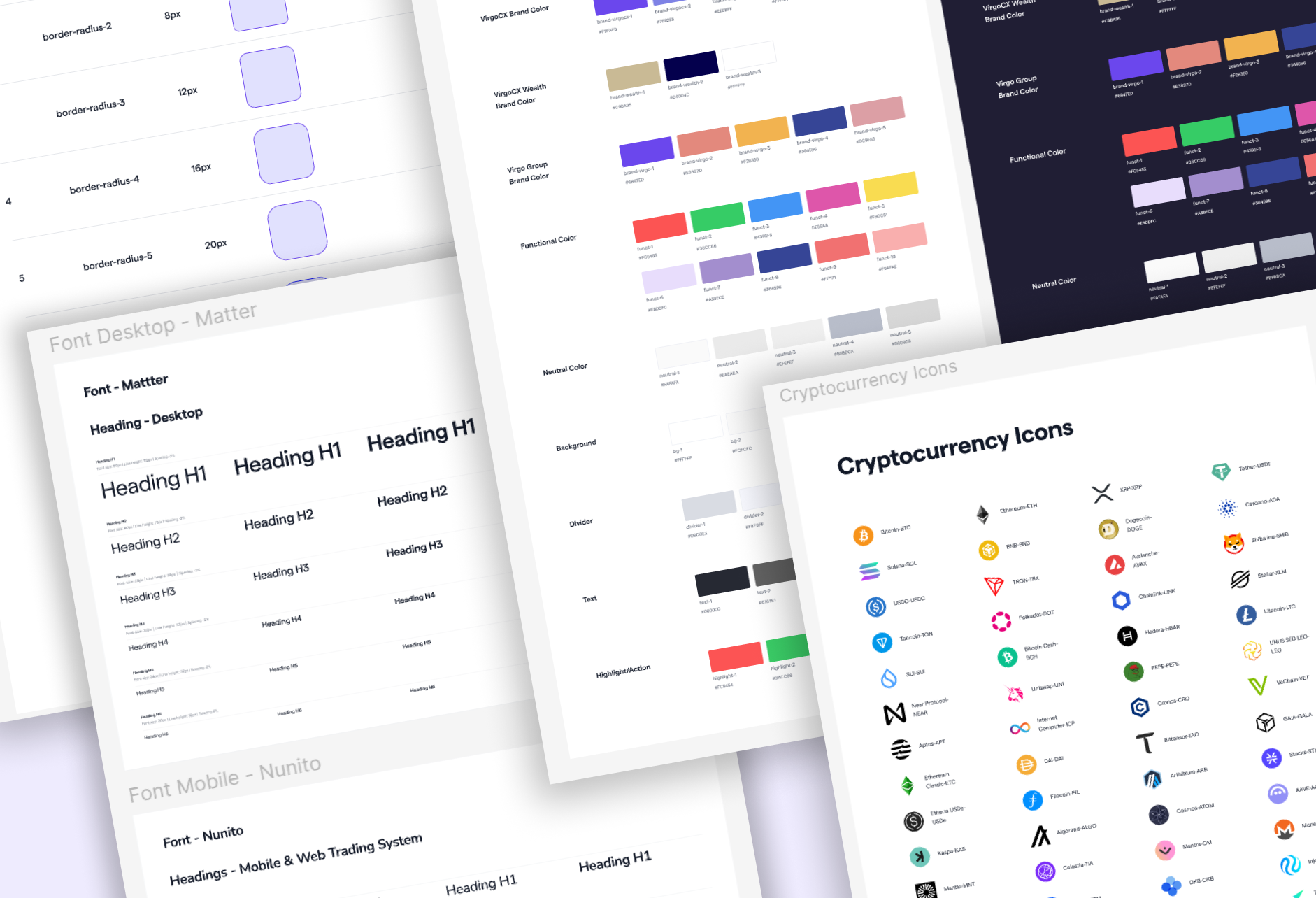
About VirgoCX
VirgoCX is a Canadian crypto trading platform serving both new and advanced traders across web, app, and marketing channels.
My Role
UI/UX Designer — collaborated with the design lead, product manager, and developers. Focus: scalability, accessibility, and design-to-development workflow.
Context
When I first joined VirgoCX, the team lacked a proper design system, which resulted in inconsistencies across products. I audited the existing UI, standardized components, and established guidelines for typography, color, spacing, and accessibility. Alongside this, I created logo variations for the company's overseas expansion. The result: faster collaboration, less repeated work, and a consistent visual foundation across all products and channels.
Confidentiality: Due to company policies on privacy and confidentiality, I am unable to disclose full details of the work process or product-related projects. However, for this ongoing project, I can share examples of standardized components to demonstrate my understanding of design systems and showcase my skills as a designer, while still respecting company guidelines and maintaining confidentiality.
The Problem
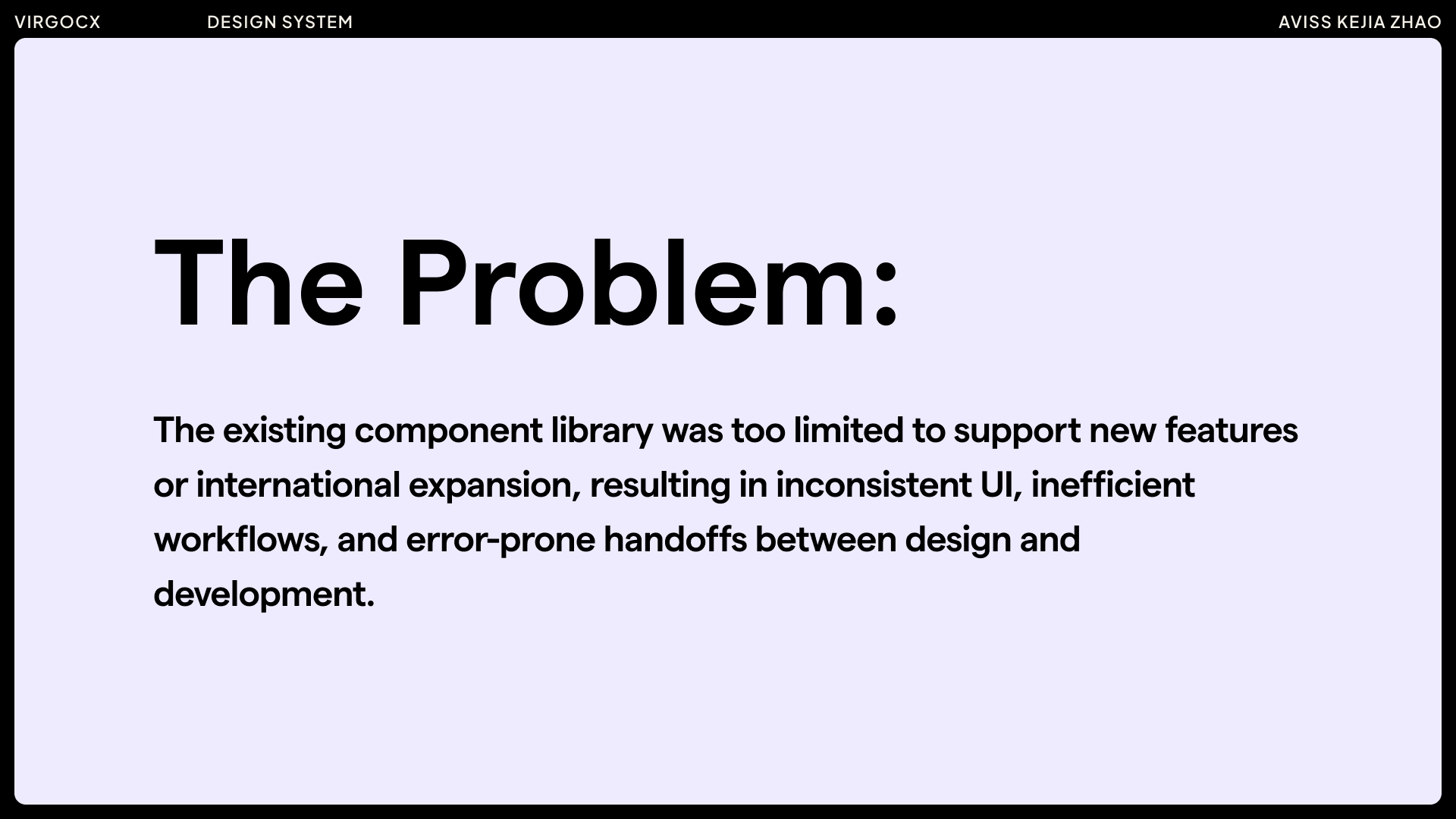
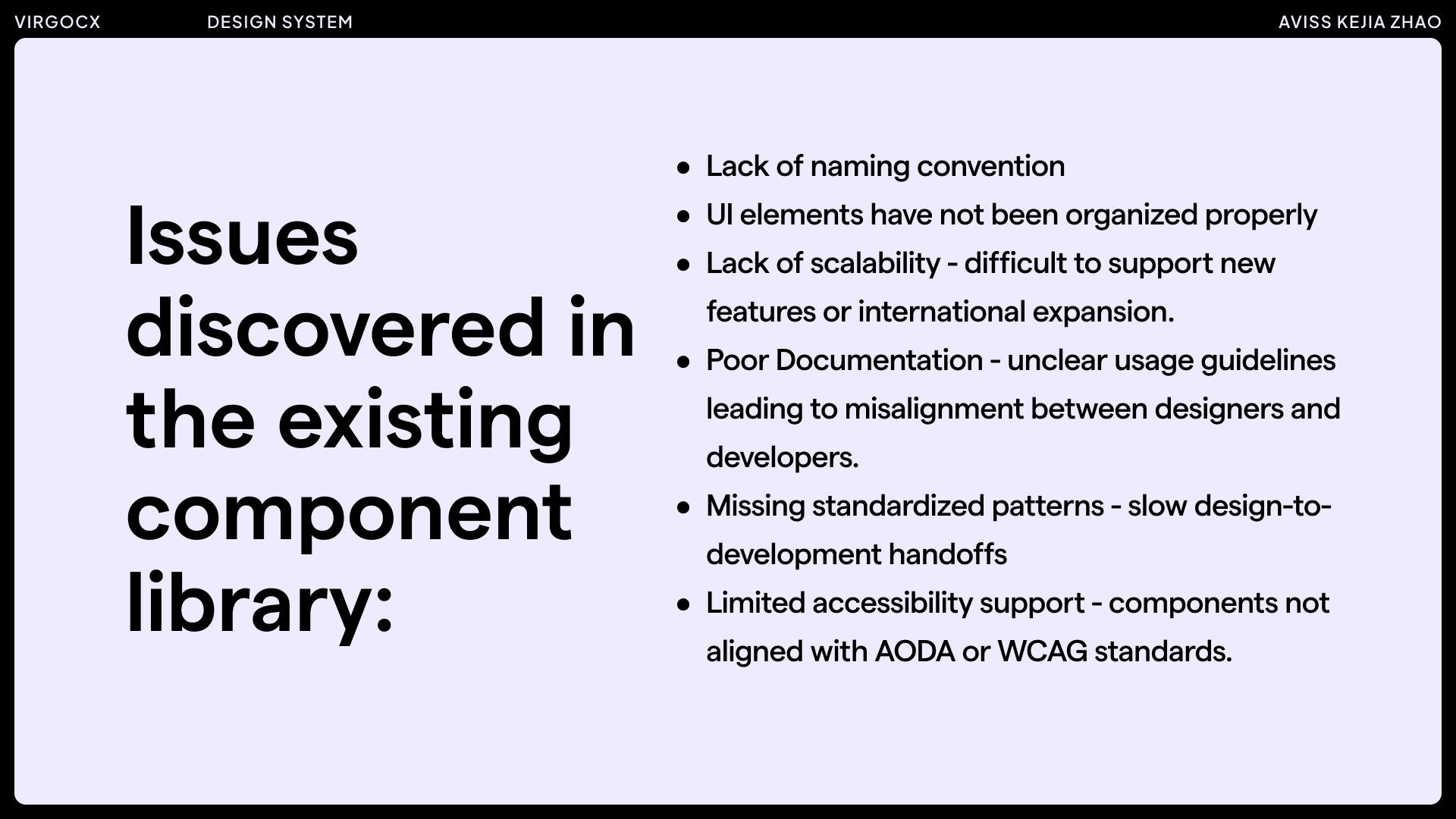
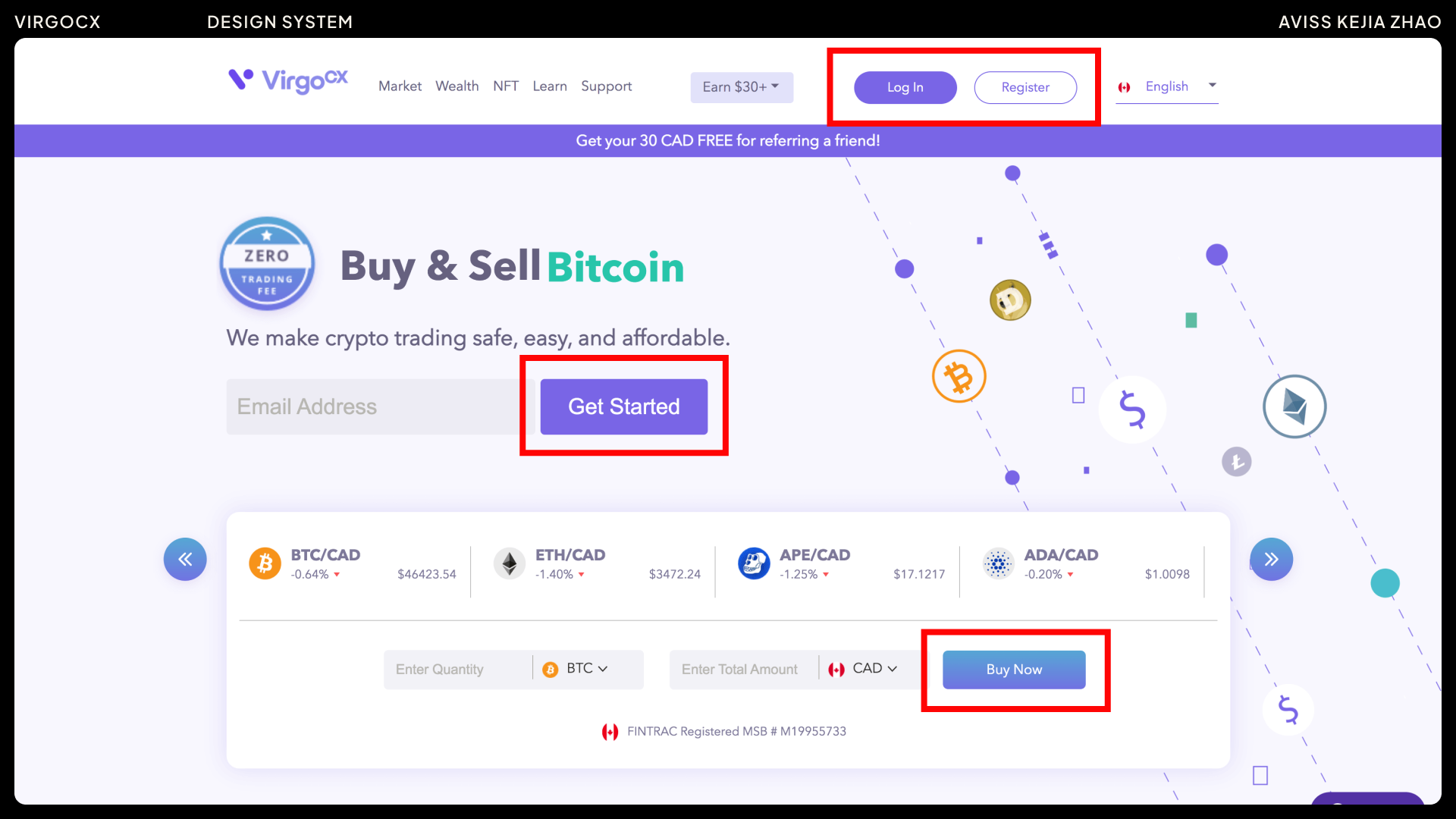
Examples of areas for improvement:
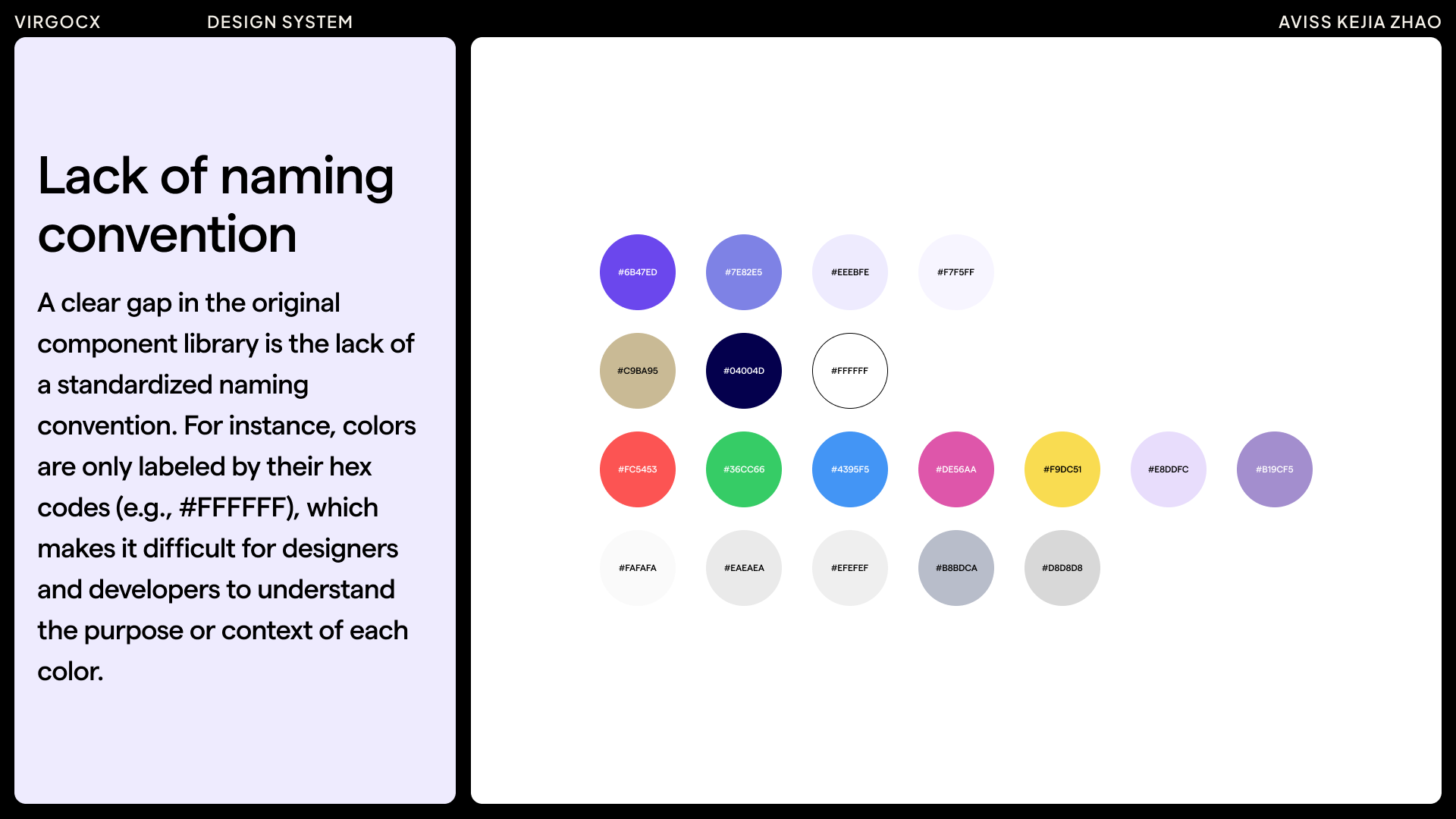
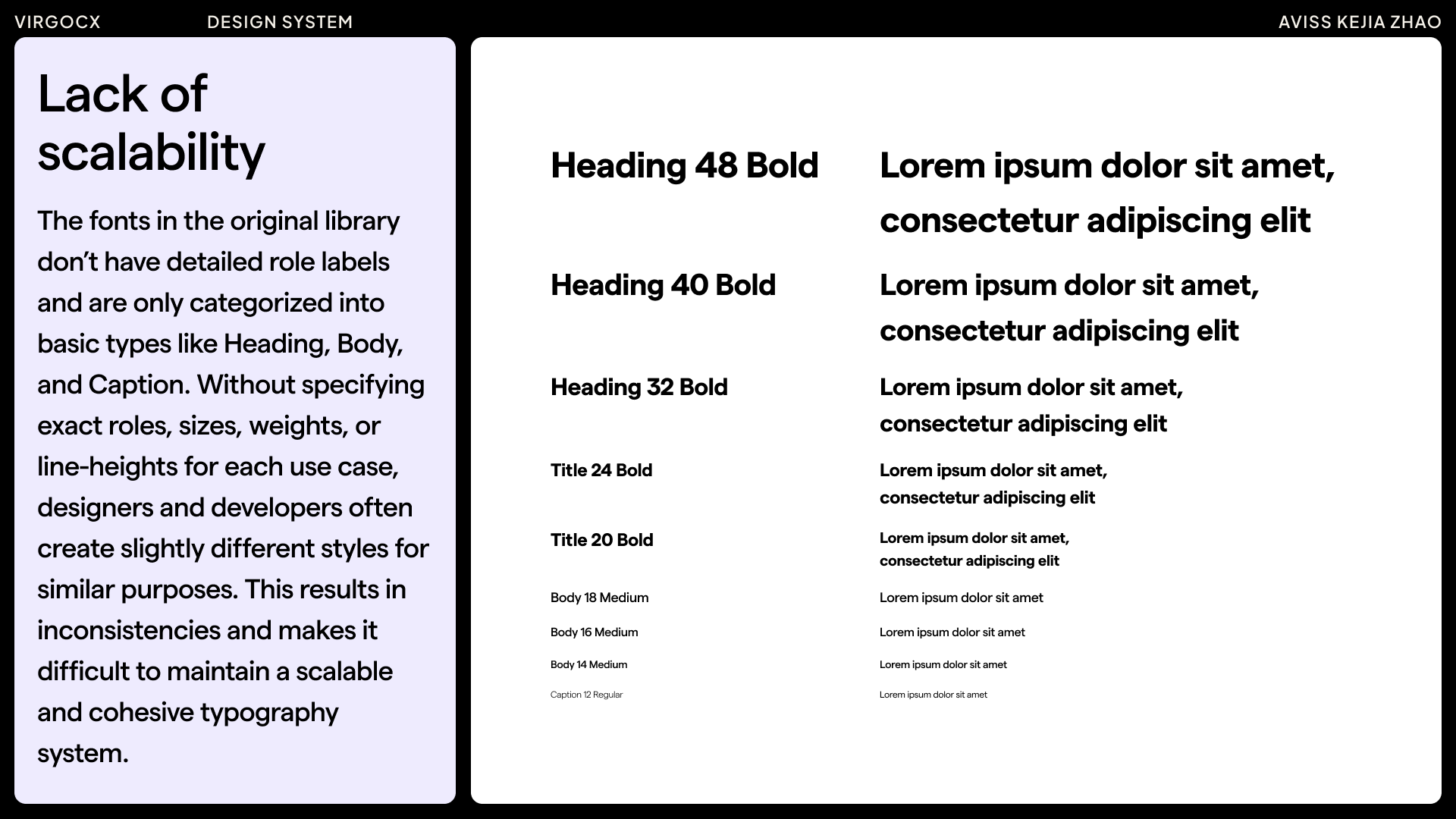
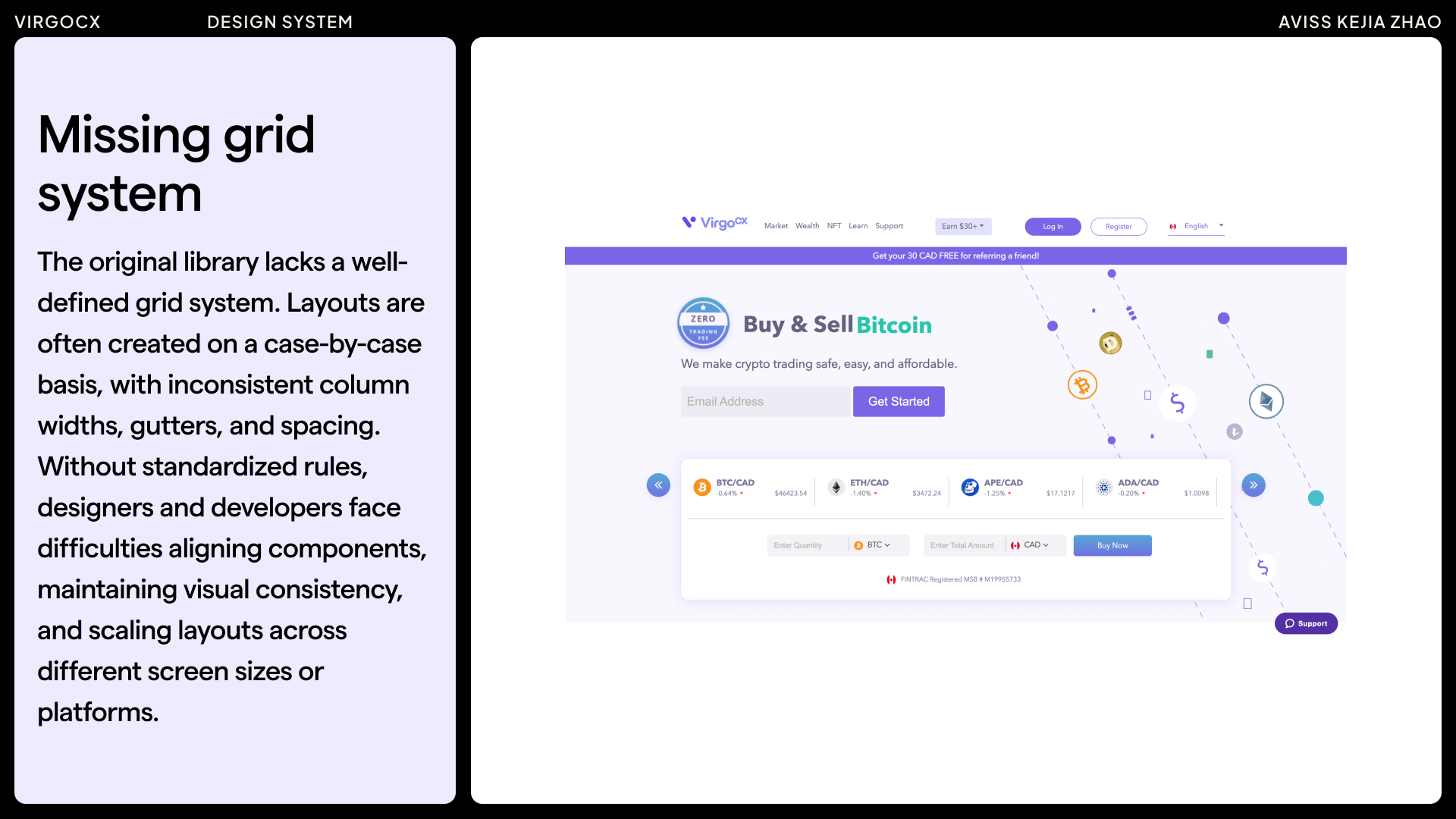
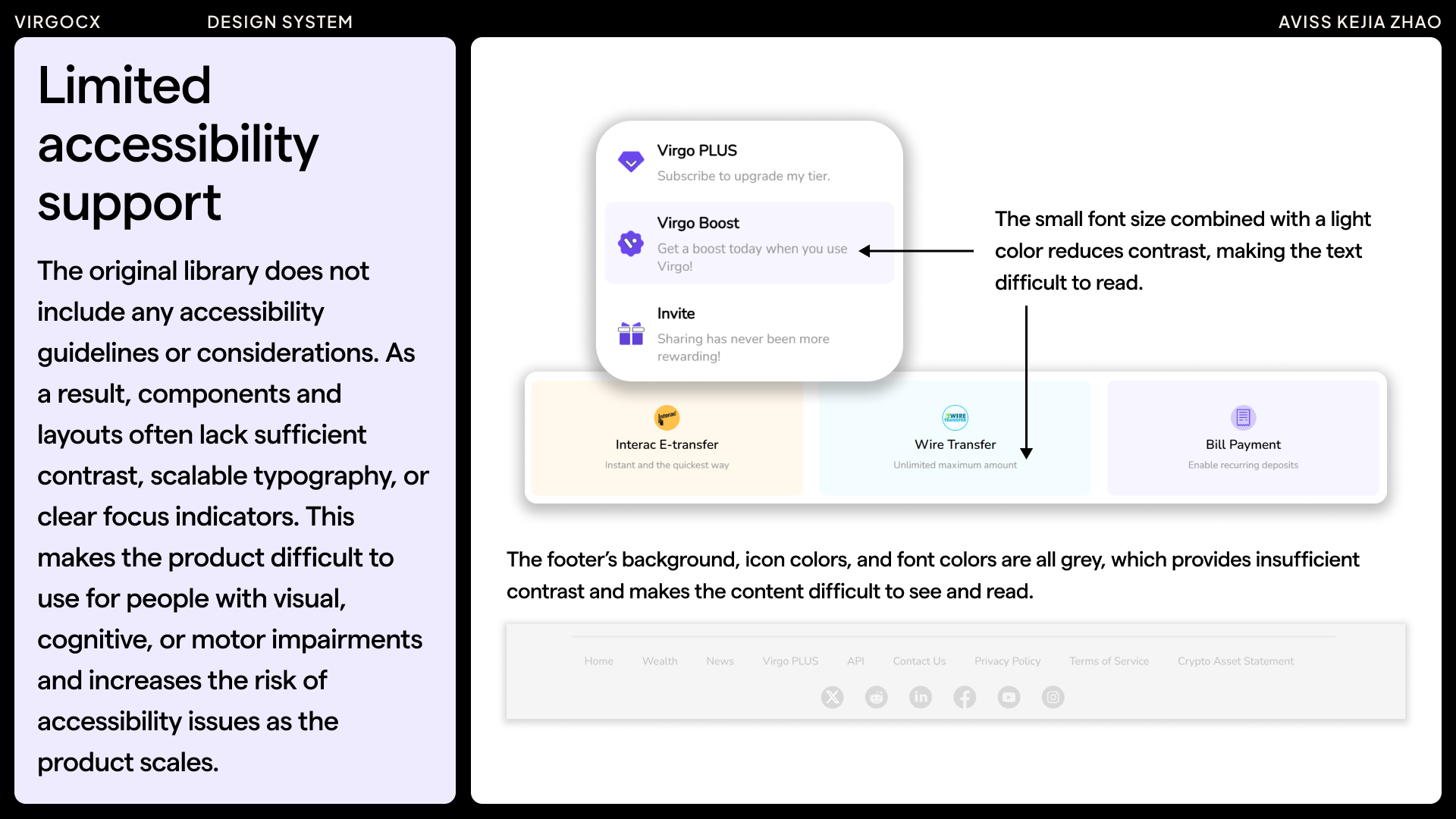
The examples highlighted above represent only a portion of the areas for improvement within the design system. Many additional aspects will need to be assessed and refined to ensure the system remains scalable, consistent, and supportive of future growth.
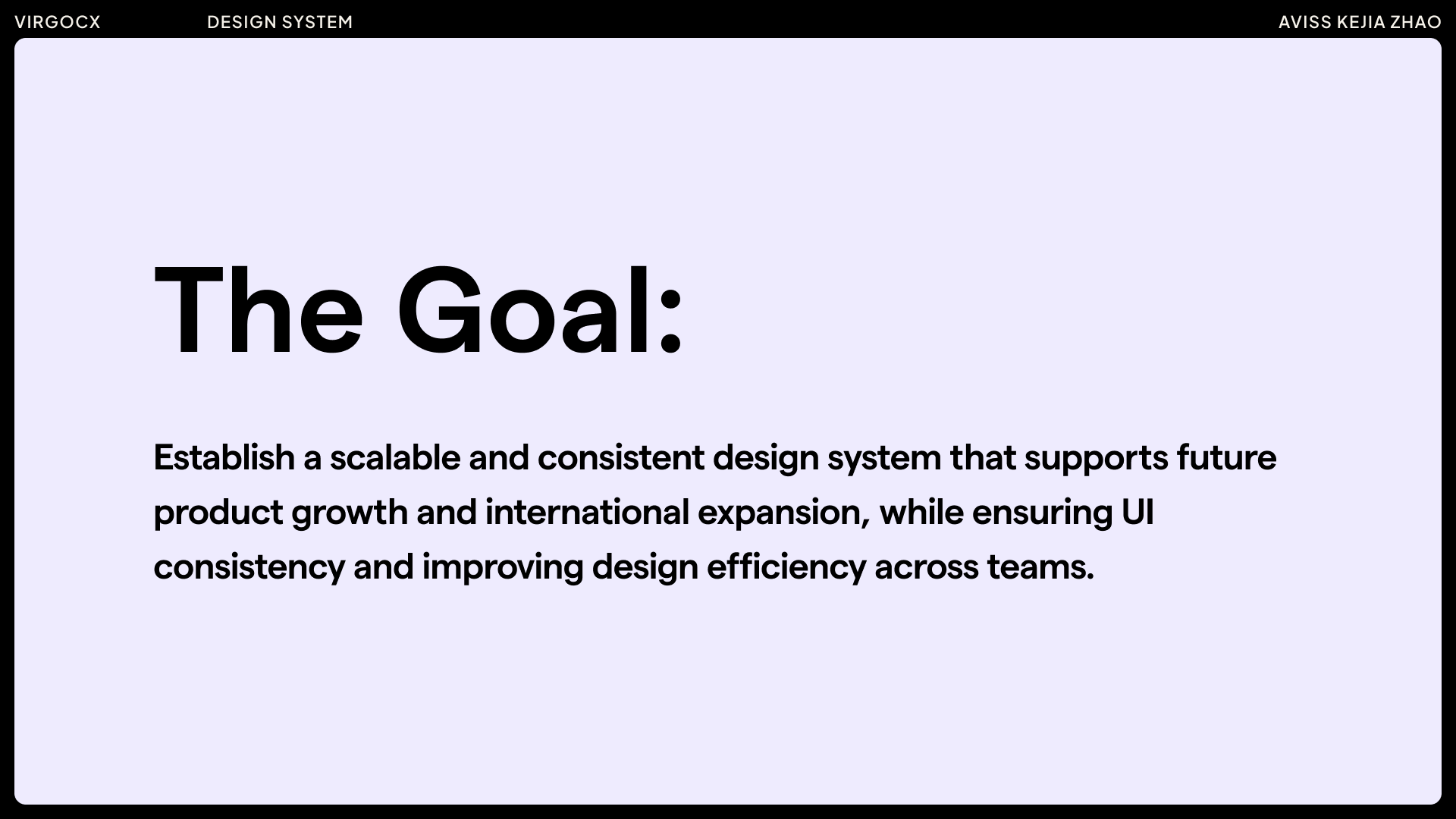
The Goal
Research
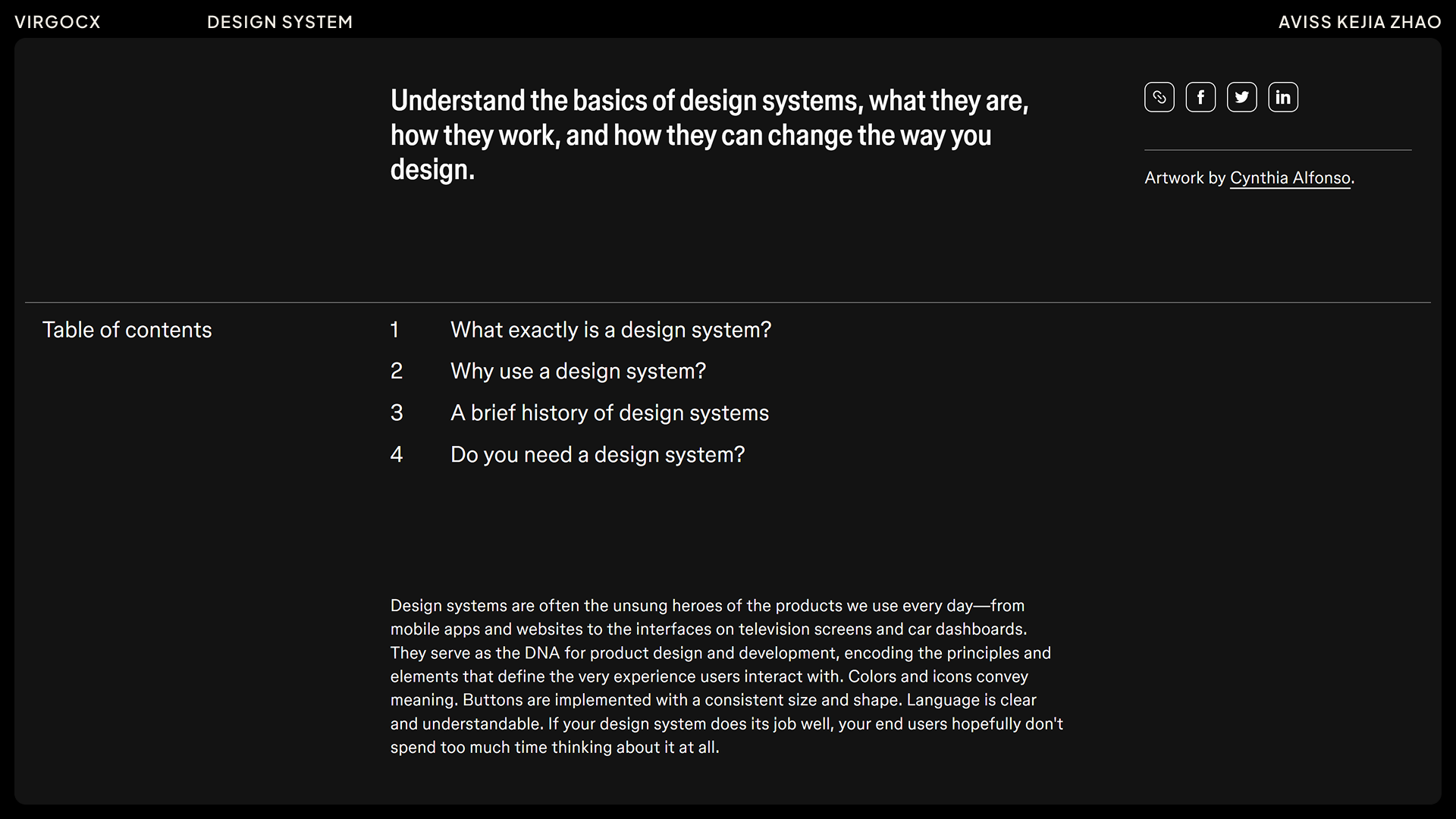
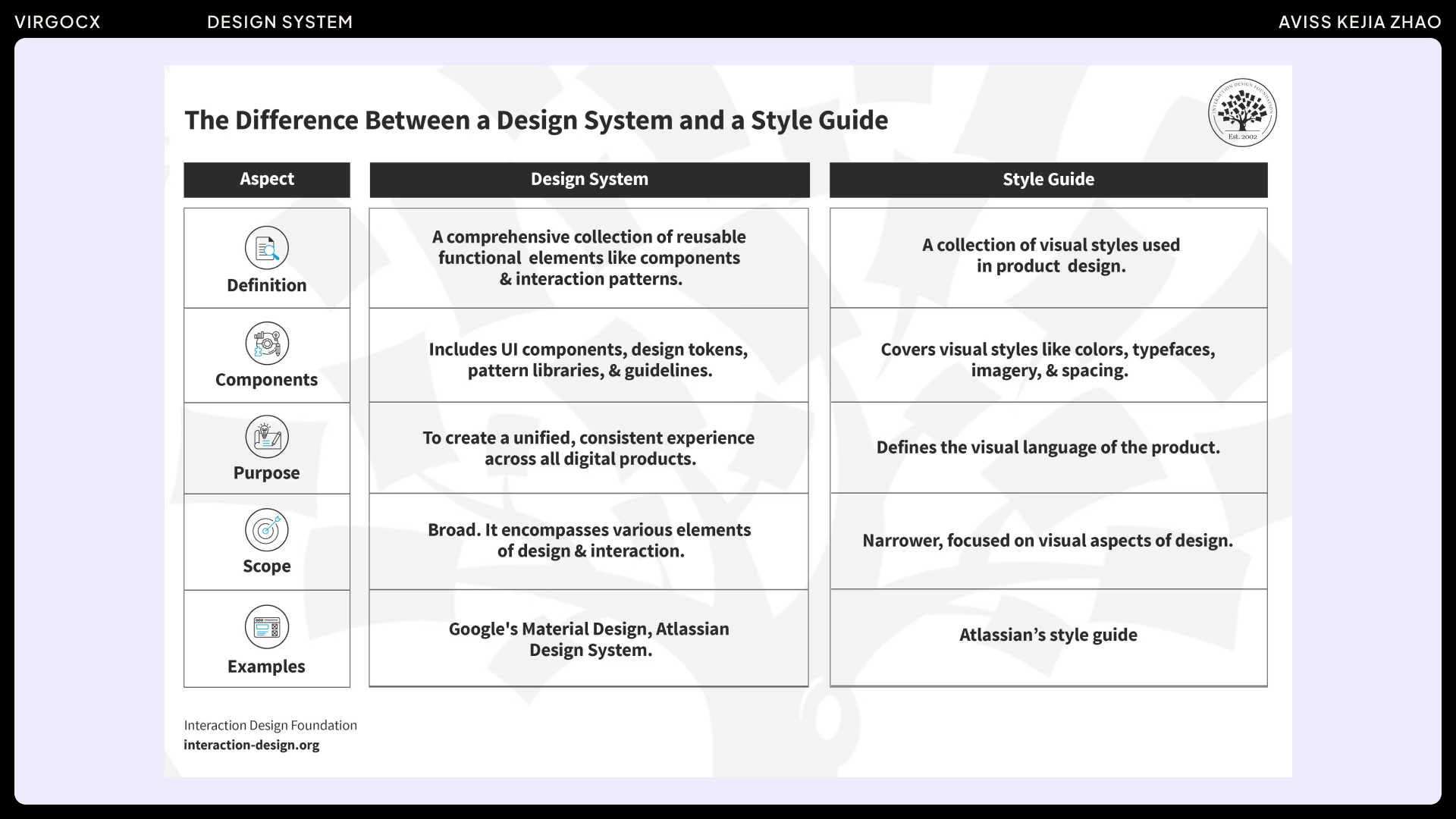
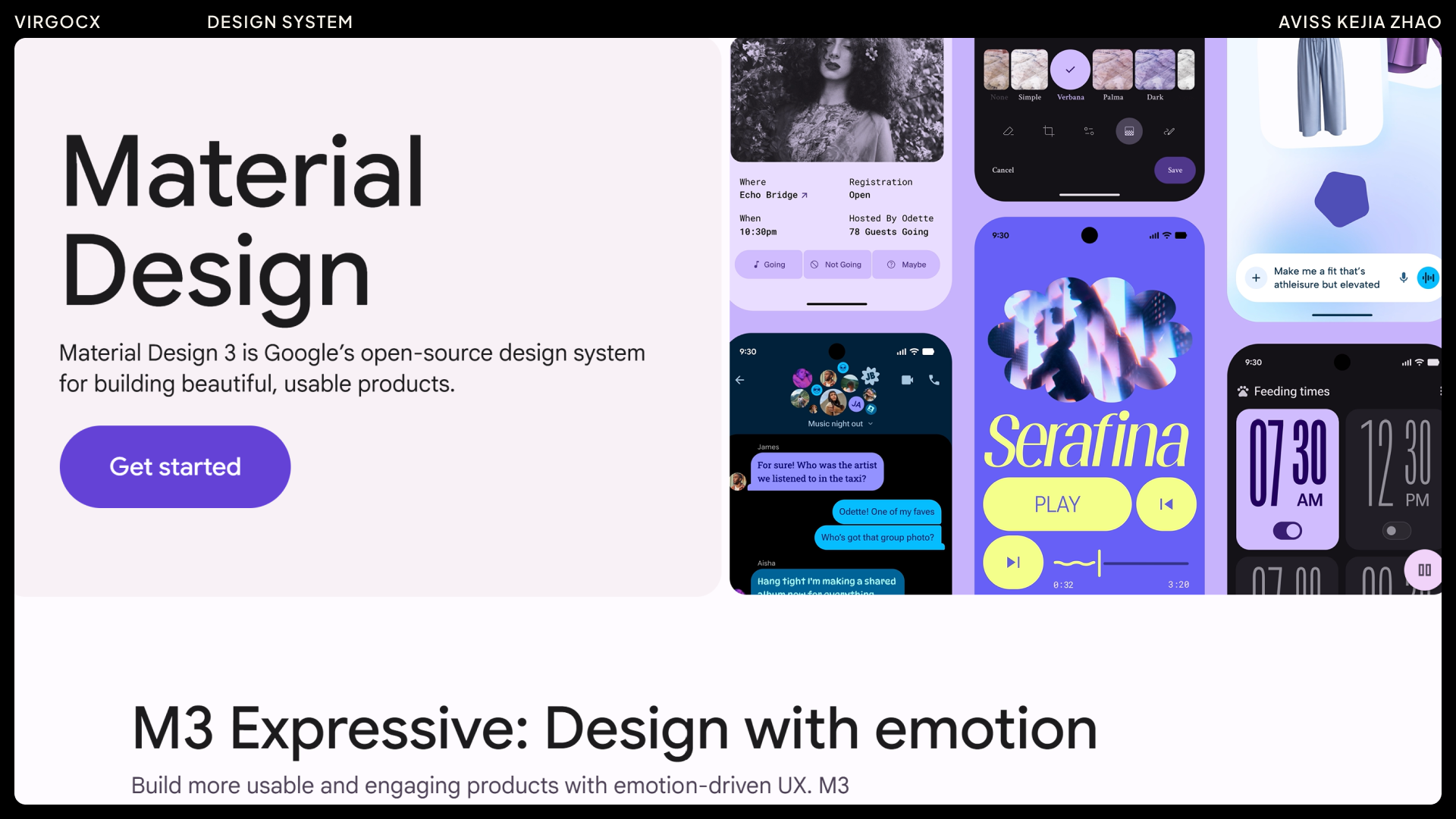
Since we were building the design system from the ground up, I spent this phase researching how successful design systems are structured and what key considerations make them effective. I explored a variety of resources, including Figma community examples and materials from the Interaction Design Foundation, taking notes on best practices and common pitfalls.
Examples of some useful resources:
Next, I worked with the design lead to audit the existing products — reviewing components, typography, color usage, spacing, and layout patterns. Since we were building from the ground up, I mainly focused on organizing the core elements — colors, typography, spacing, and key components — which helped us highlight inconsistency and gaps across the product.
Accessibility
My approach to accessibility has two parts:
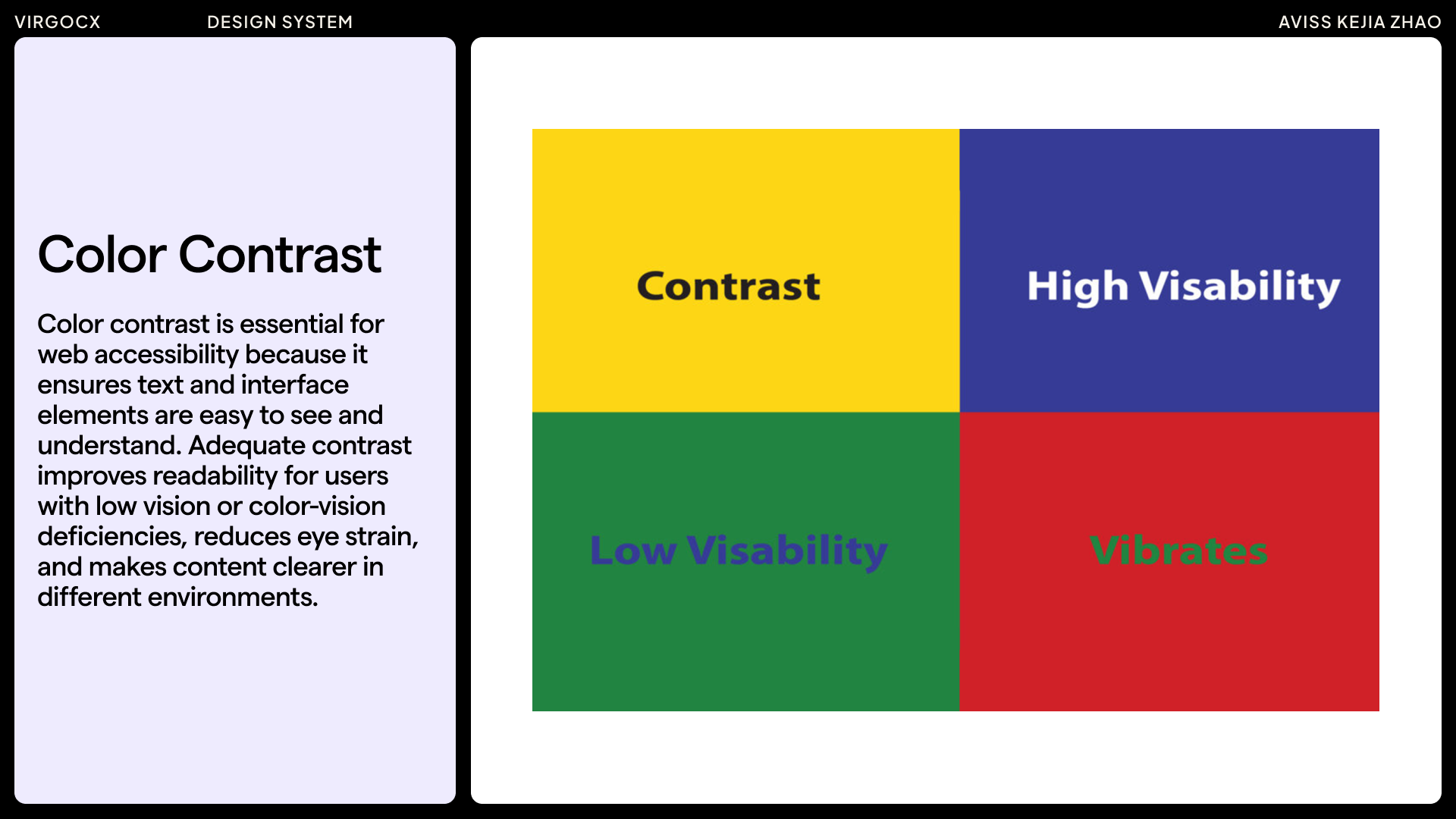
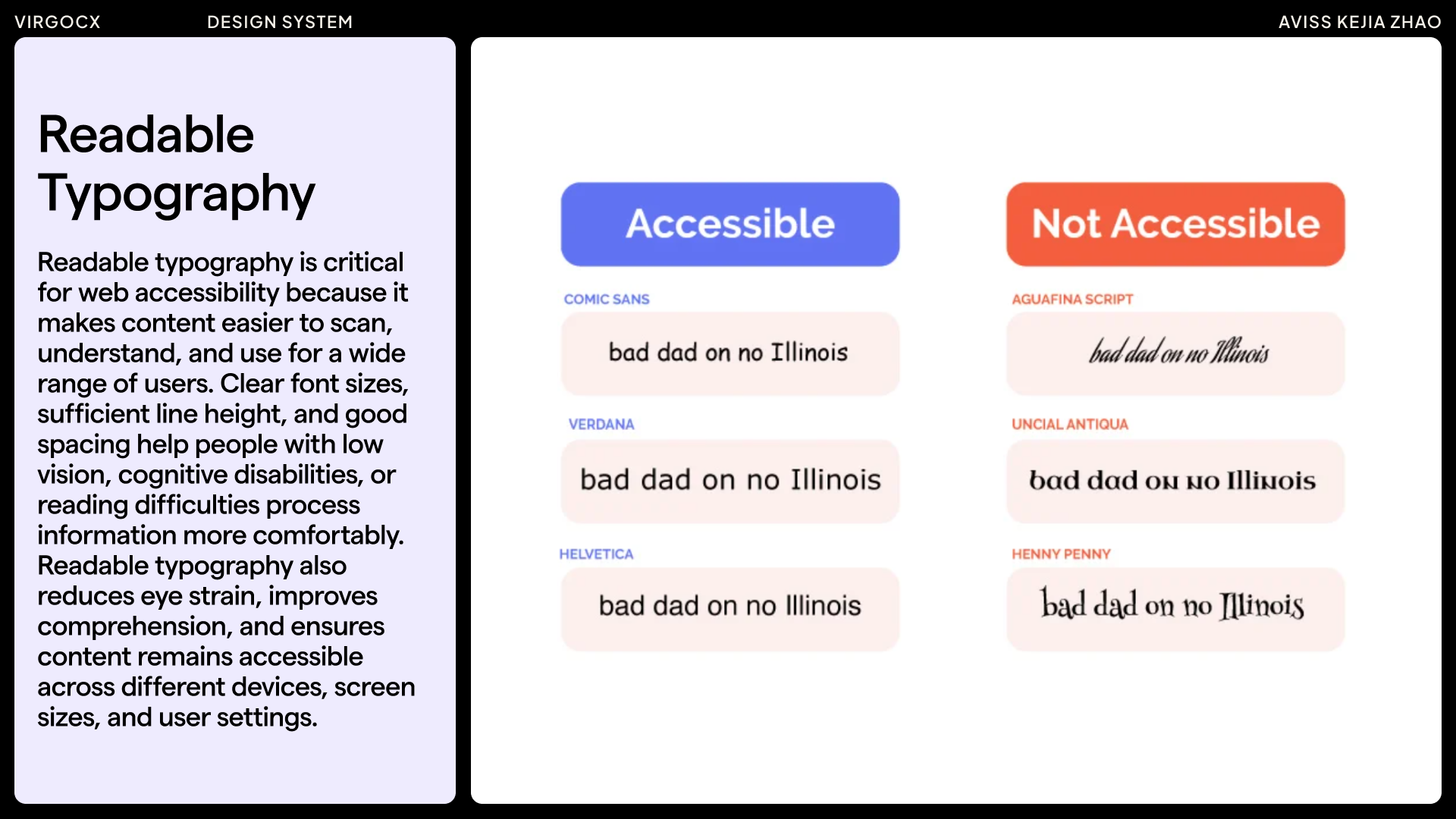
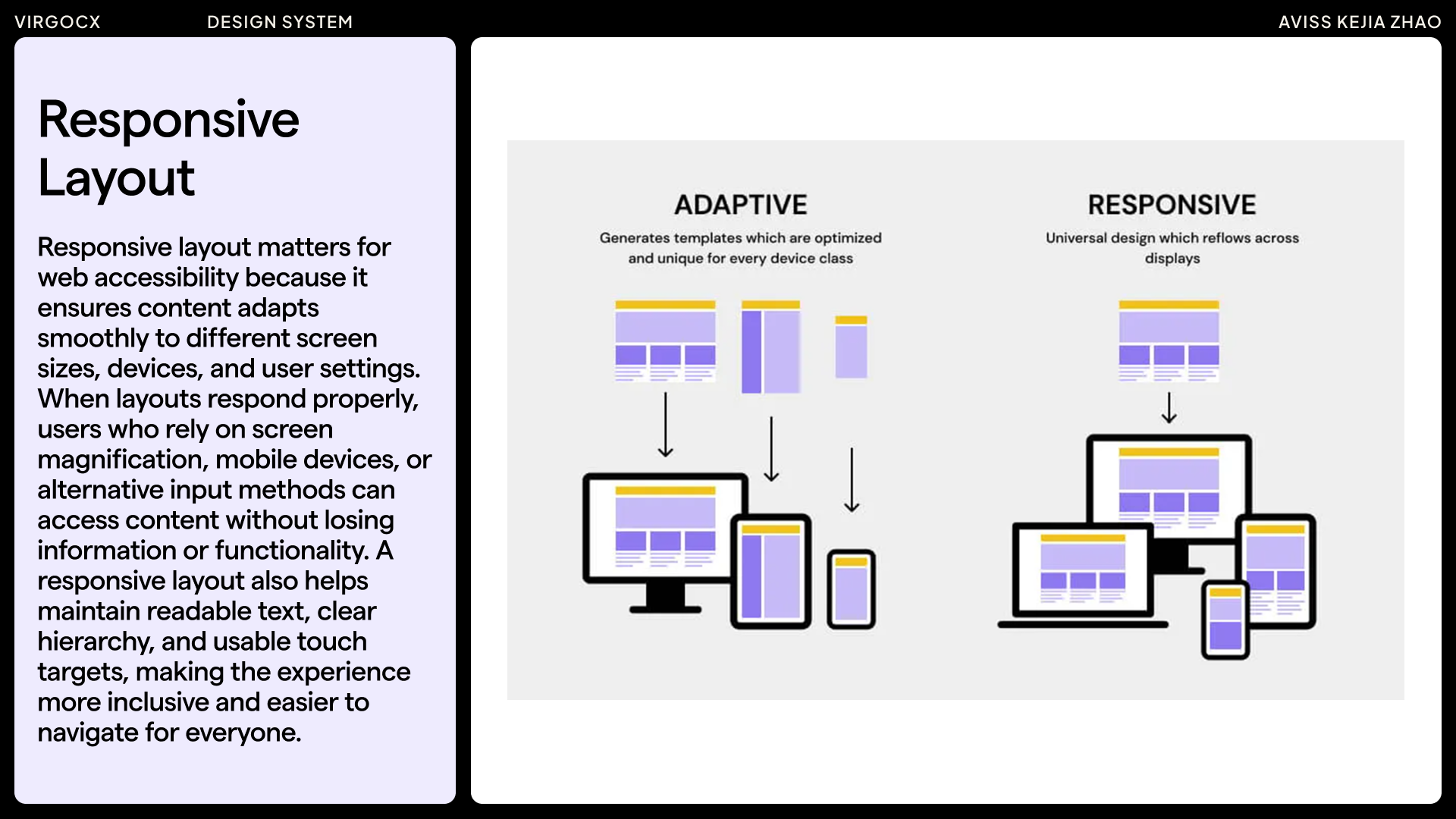
1. General accessibility basics — things like color contrast, readable typography, font size, clear hierarchy, responsive layouts, and keyboard-friendly interactions.
2. Accessibility in the context of the product. For example, when I was at VirgoCX, I noticed through competitive research that Binance had already started implementing accessibility features. In trading, most charts rely on a red–green color system, which makes it difficult for users with red-green color-vision deficiencies to interpret market signals accurately. So Binance even introduced a color-deficiency mode, which I think is a great example of inclusive design.
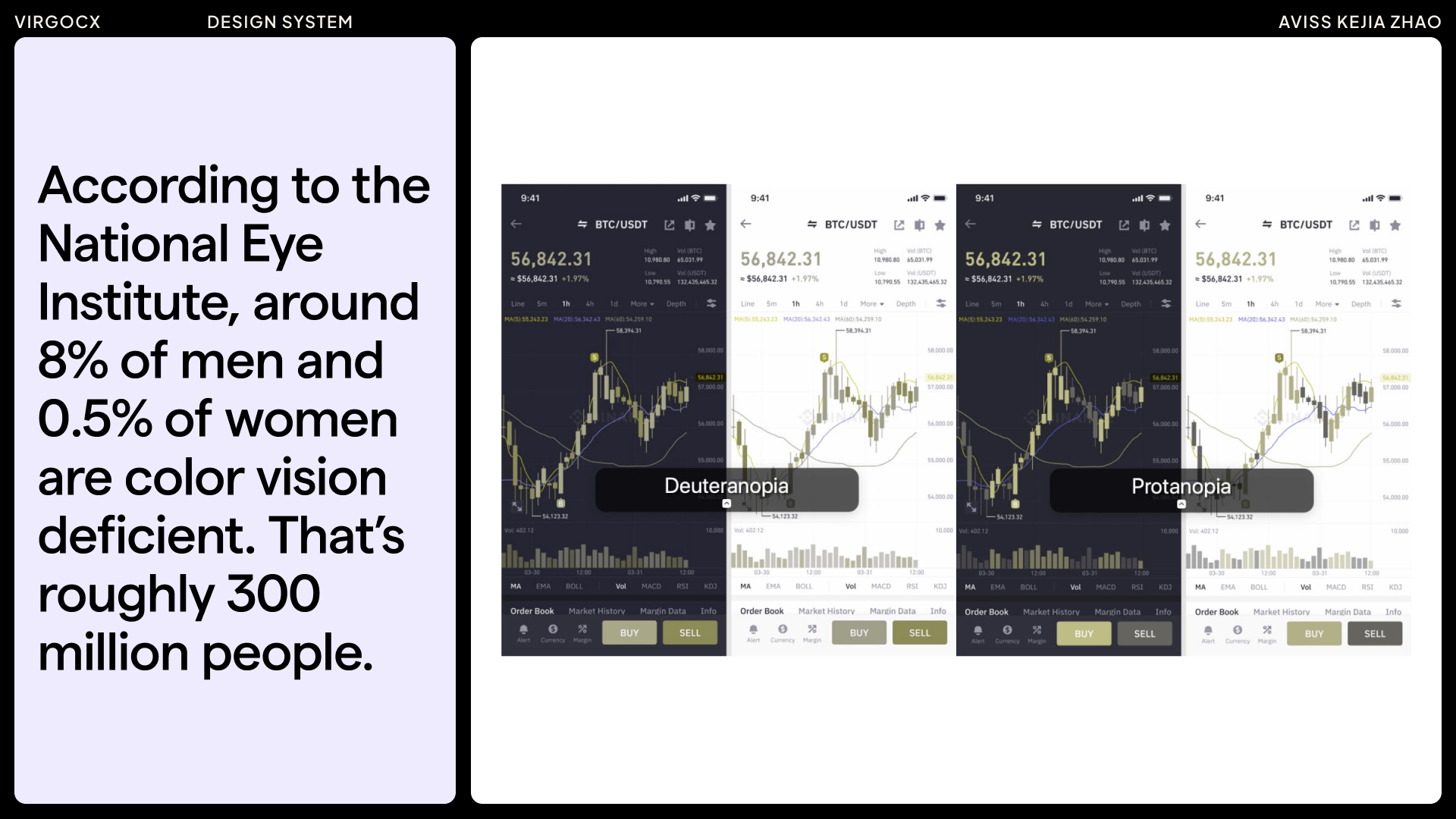
In trading — whether stocks, crypto, or forex — red and green dominate the screen. Red indicates a price decrease, while green signals an increase. For individuals with red-green color vision deficiencies, these cues can be difficult to interpret, leading to costly, poorly timed trades. In a market like crypto, which moves rapidly and never sleeps, even a few seconds of hesitation or misinterpretation can create a significant disadvantage.
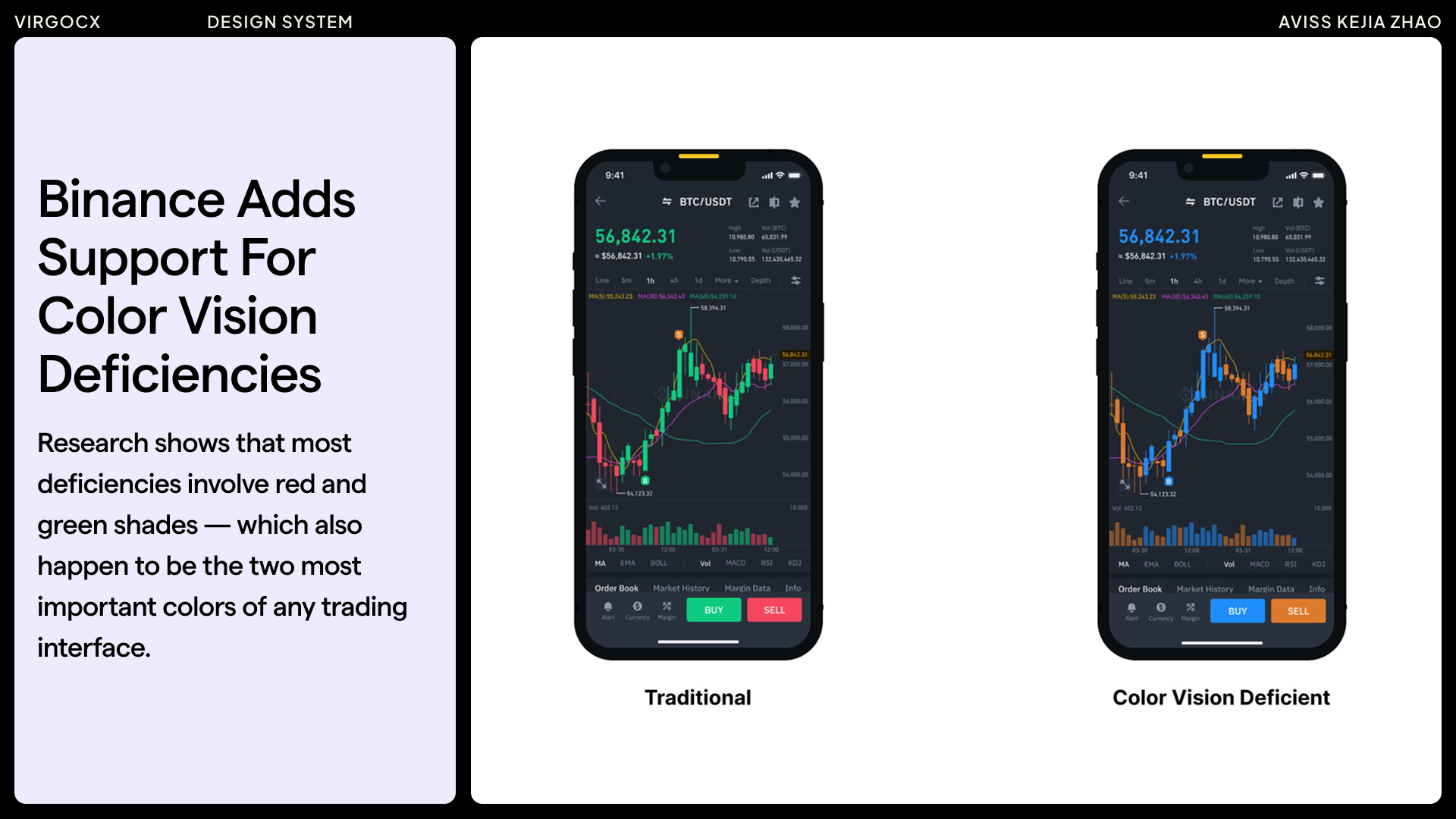
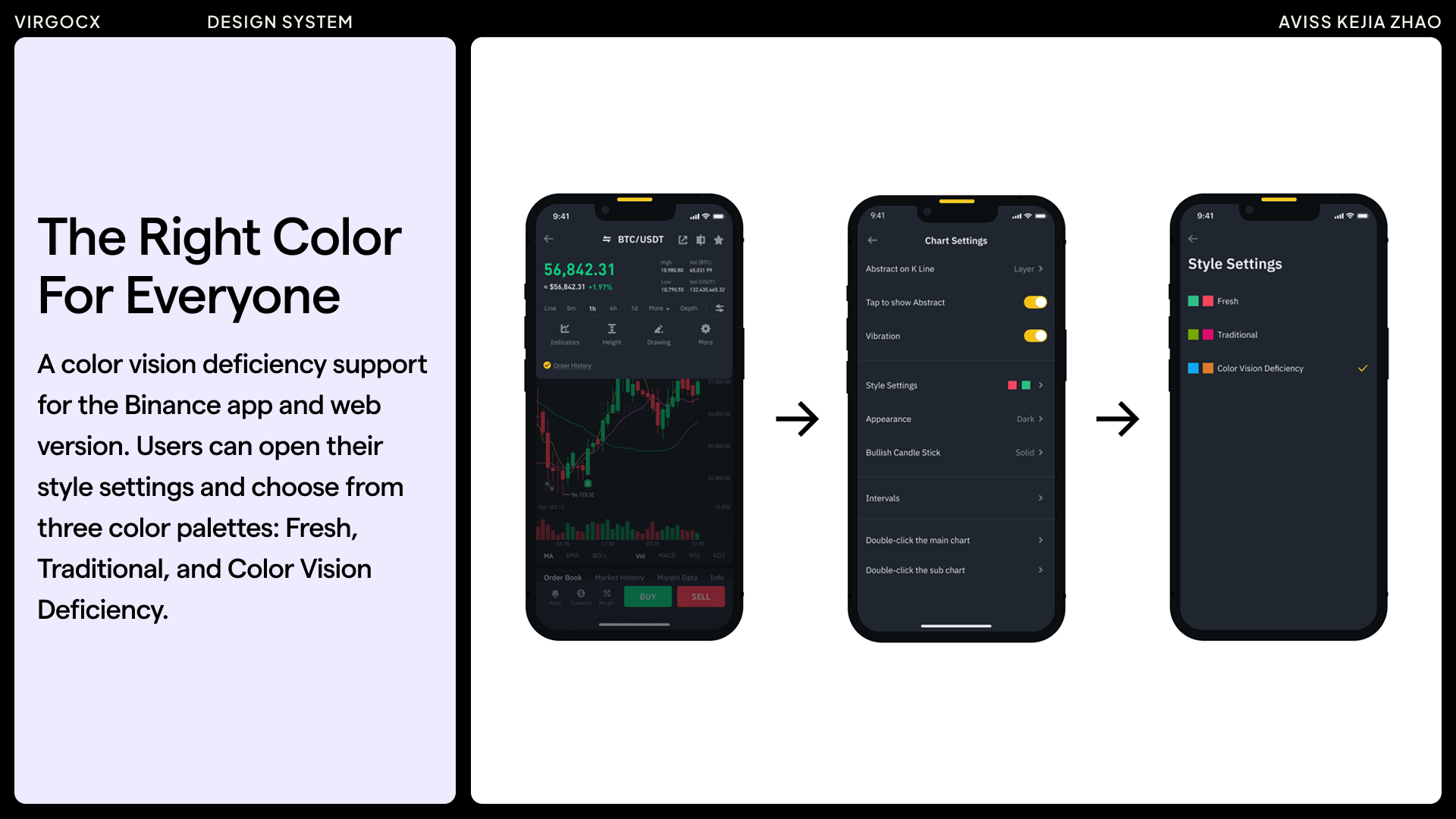
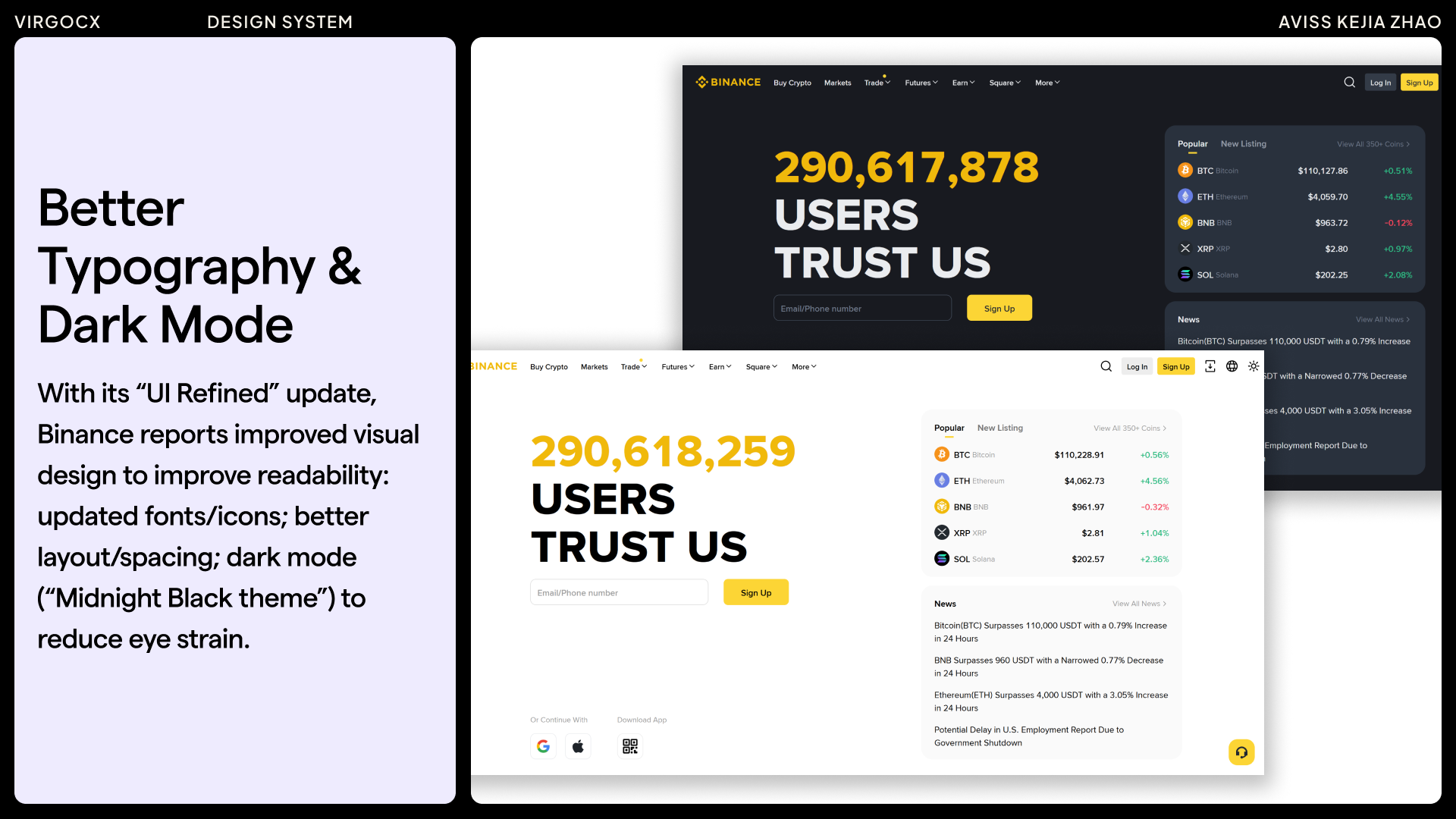
In my competitor analysis of Binance, I noted that their recent UI Refined update introduced improvements such as enhanced typography, dark mode, and customizable layout widgets. They also included features addressing color vision deficiencies — an important consideration in trading platforms.
Accessibility Consideration/Improvements: Drawing from these observations, I prioritized accessibility in the VirgoCX design system by focusing on readability, responsive design, and consideration of color vision deficiency modes.
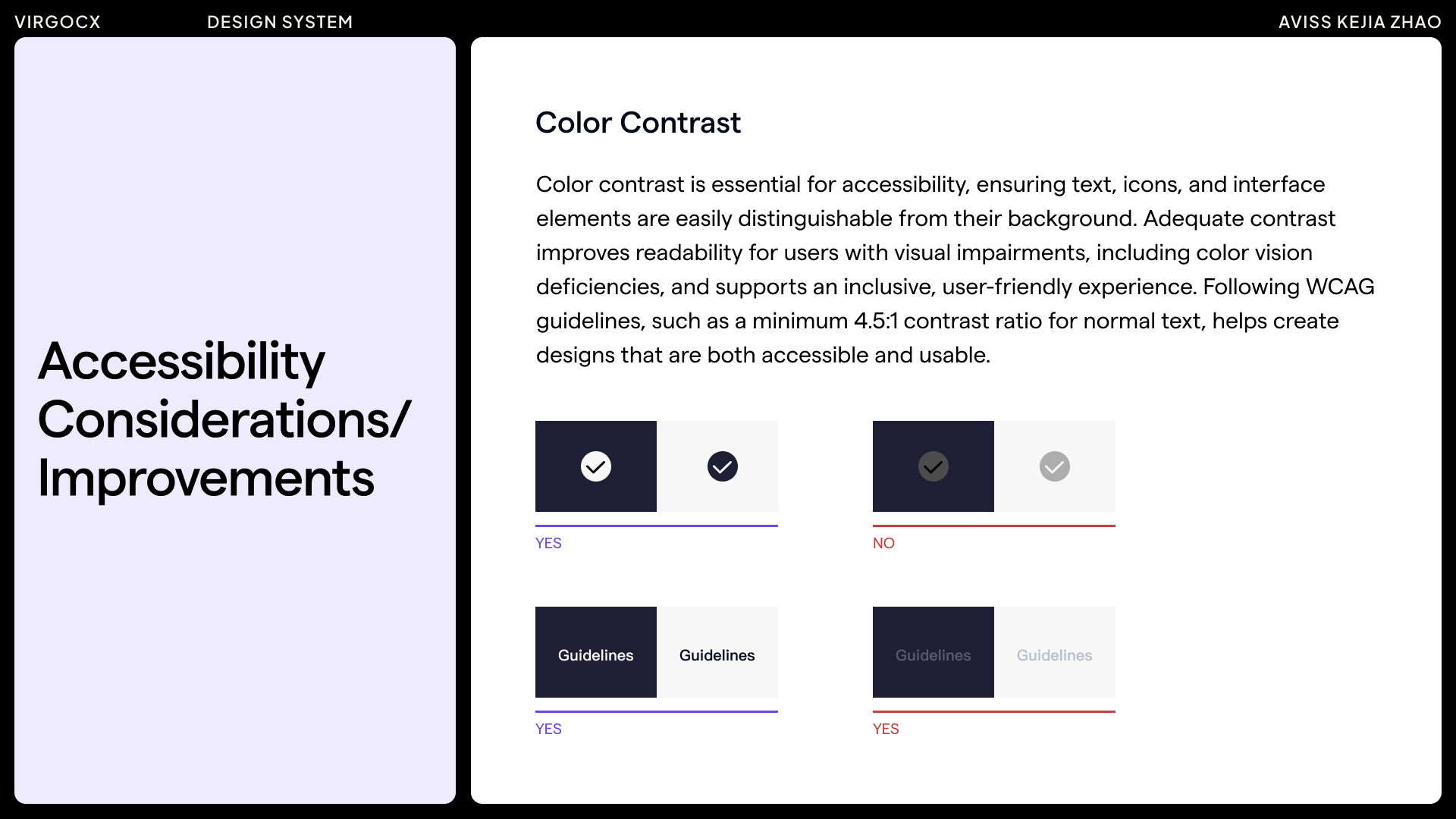
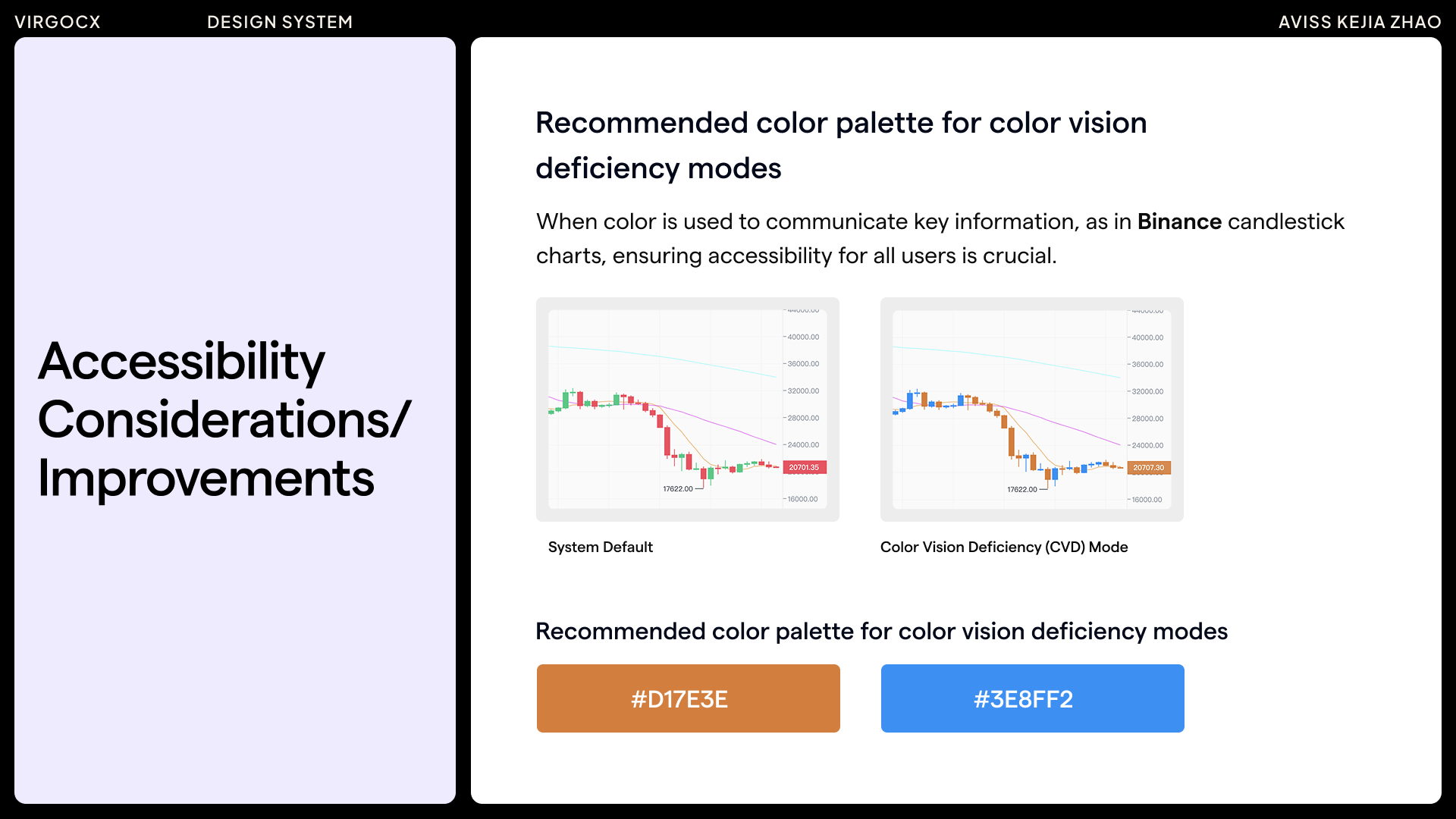
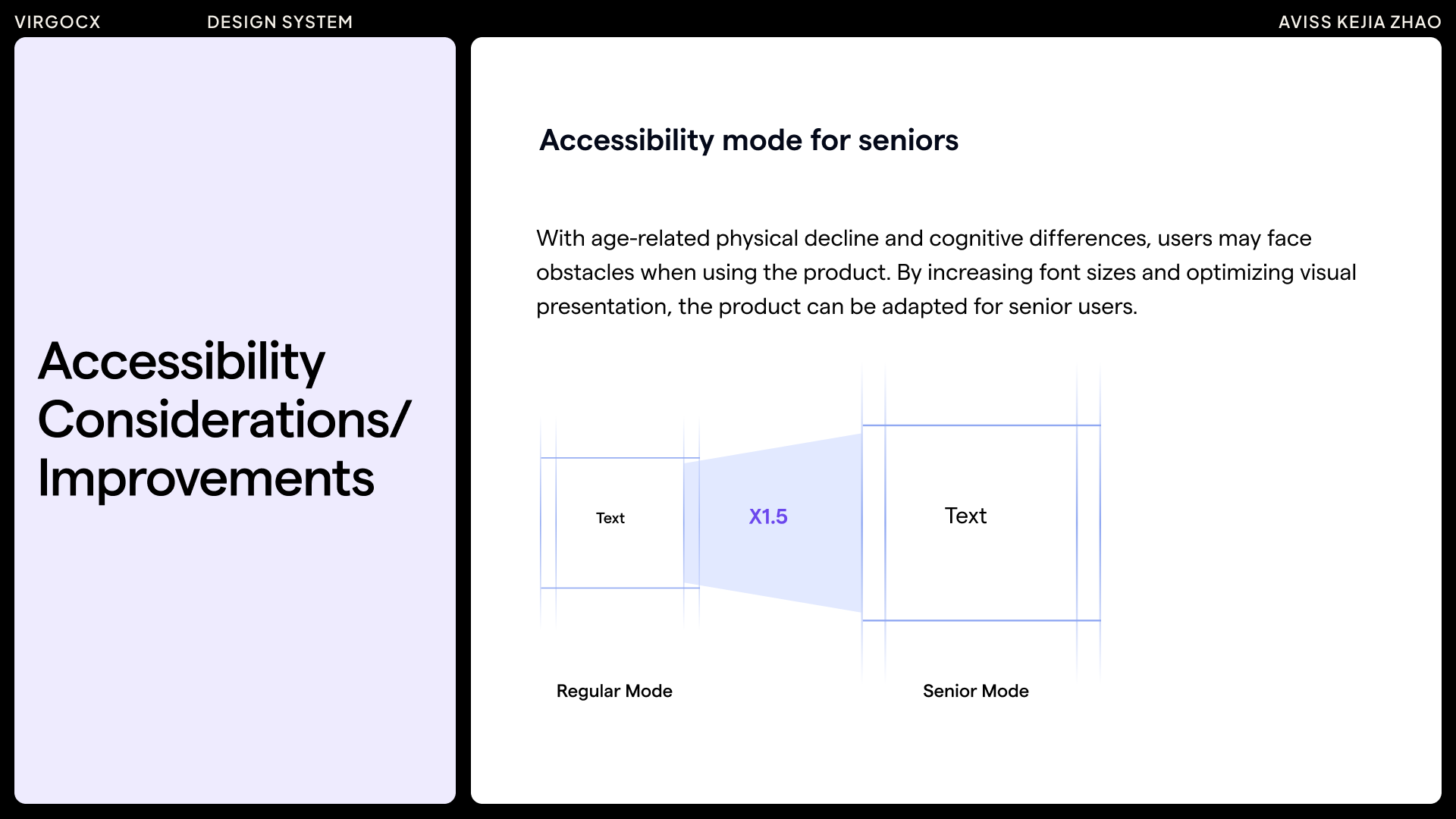
Based on research and competitor analysis, key accessibility considerations were identified for the design system. Accessibility is an ongoing effort, and there is always room to further incorporate improvements in the future.
Process
To ensure consistency across the design system, I created a comprehensive table as a work guidance tool. It captured the initial state of each component, identified required improvements, documented the standardized redesign, and included a final quality and accessibility review.
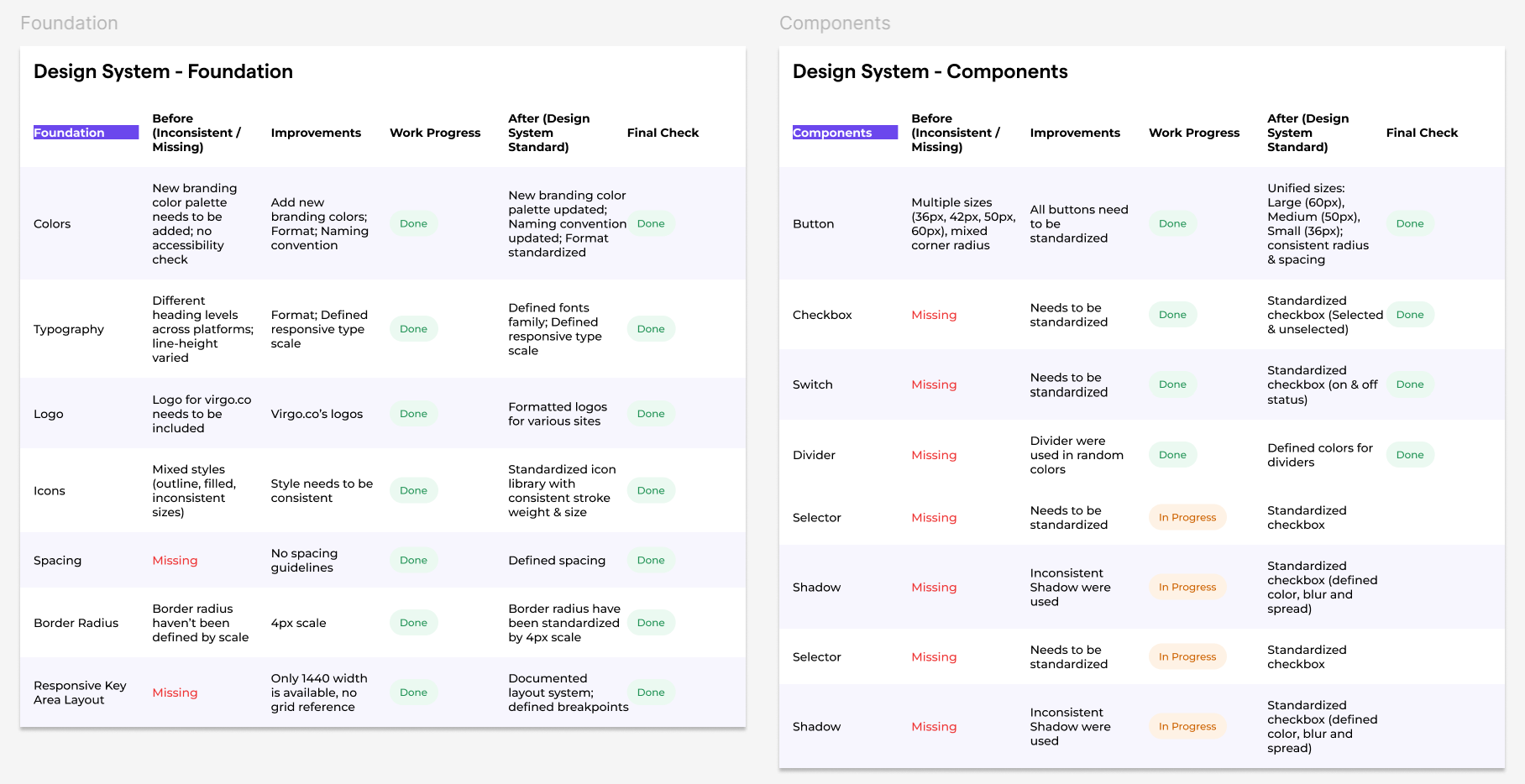
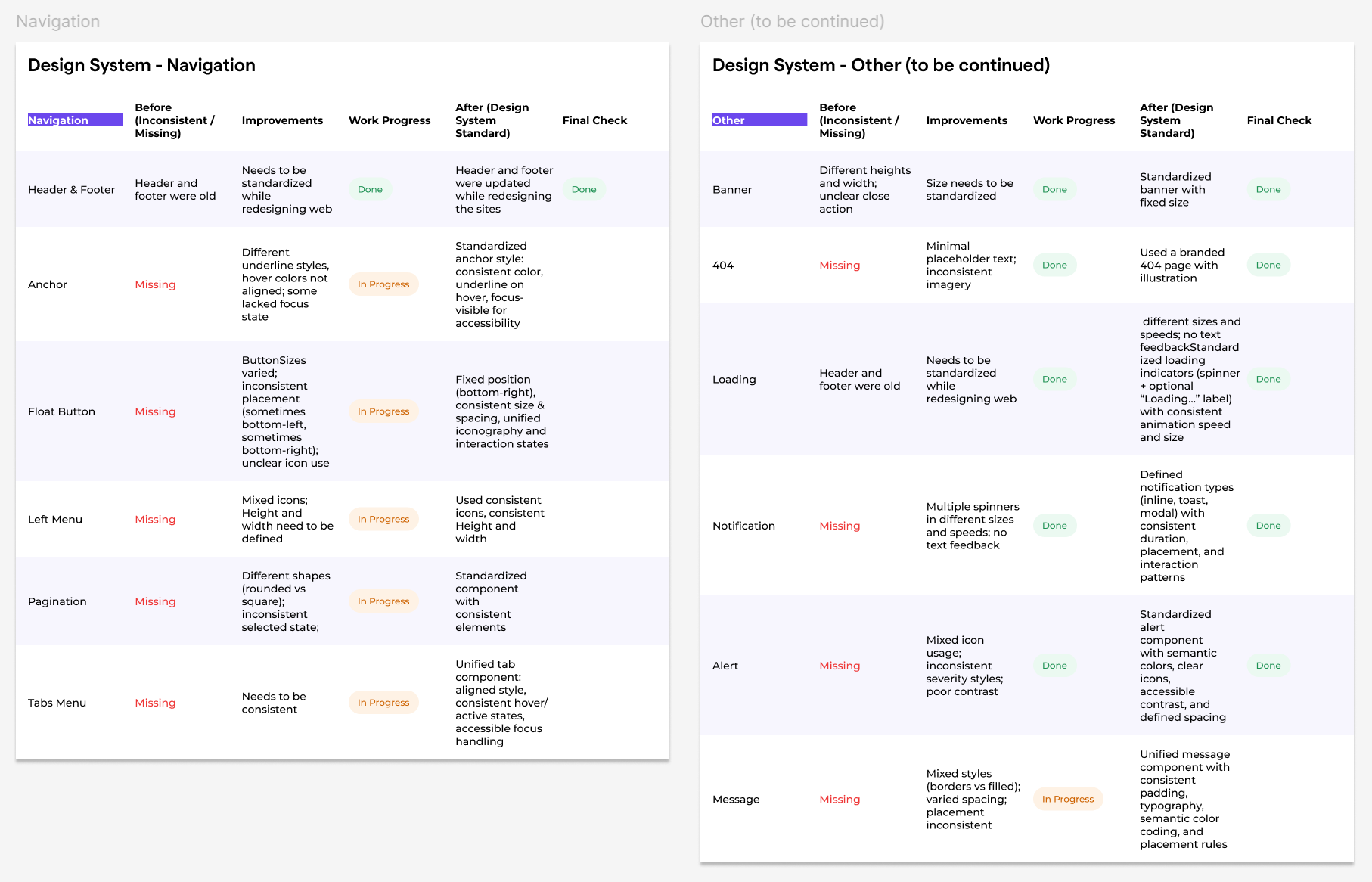
Foundations & Components
Colors
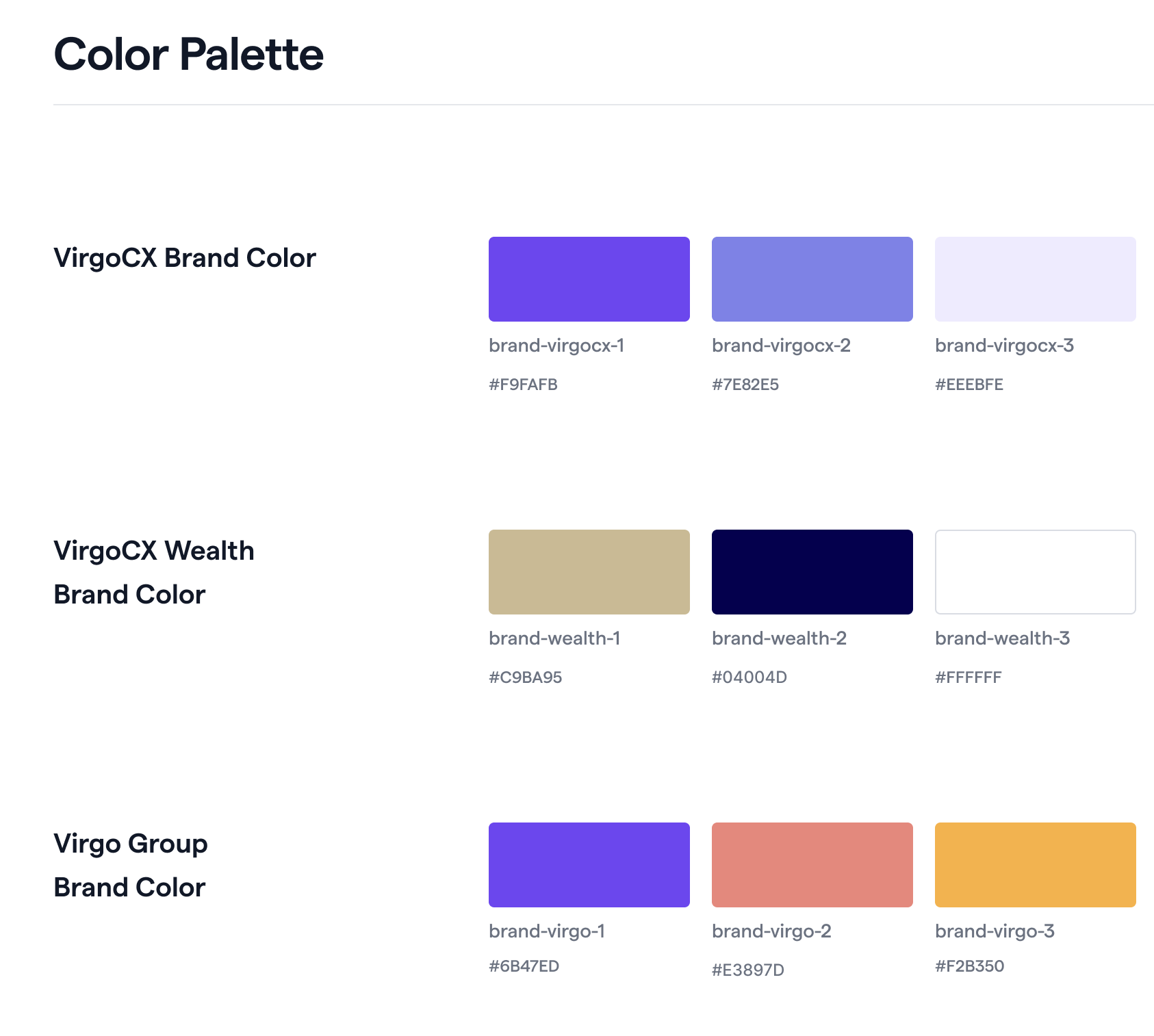
The first organized part of the design system was the color palette. When the company expanded overseas in 2022, Virgo Group introduced a new logo and brand colors. This provided the perfect opportunity to structure colors by function — logo colors, functional colors, neutral tones, and background colors.
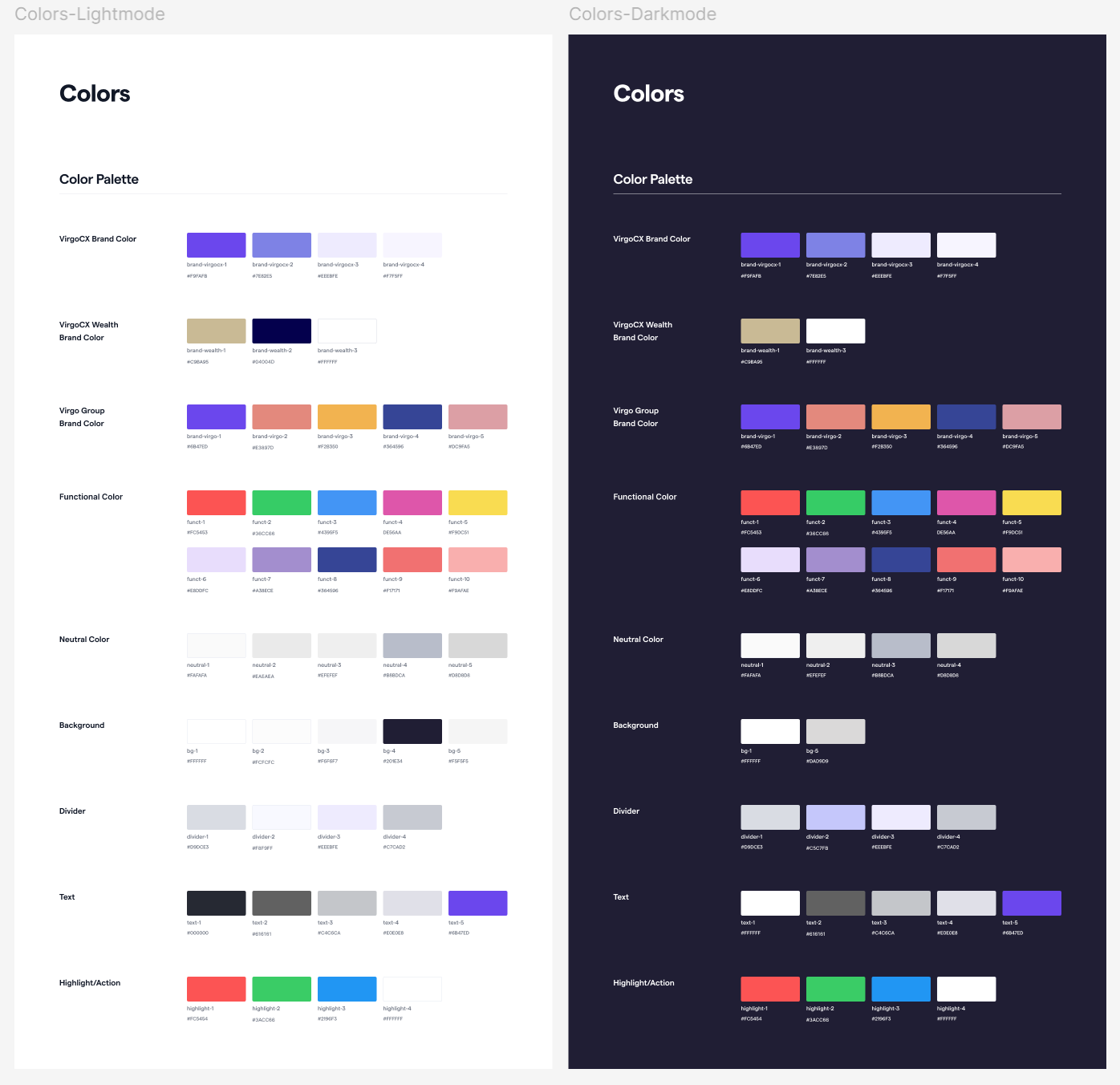
Most importantly, the colors followed standardized naming conventions. This means that color names describe their function or usage rather than the color itself, making them easy for developers to understand and implement.
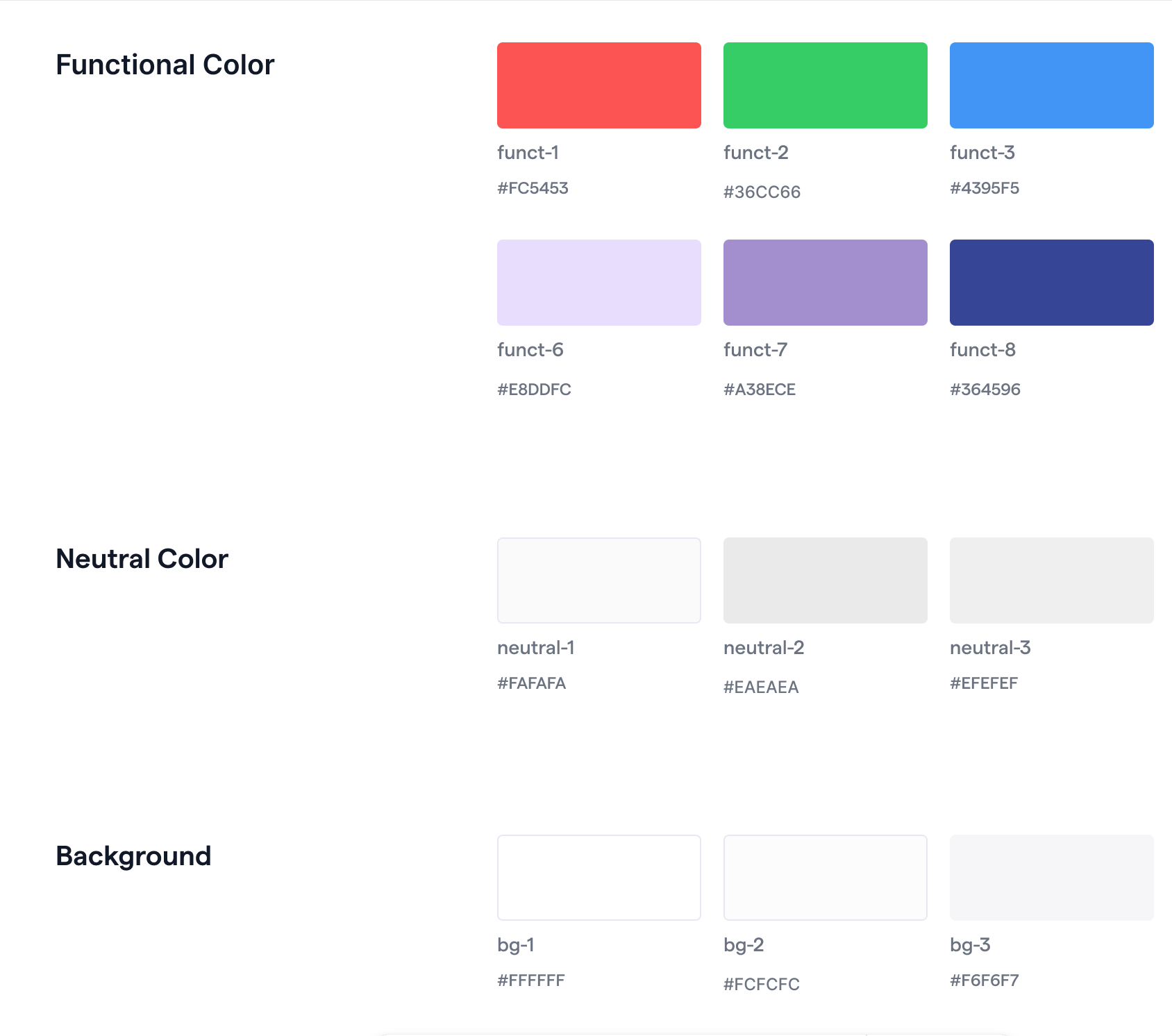
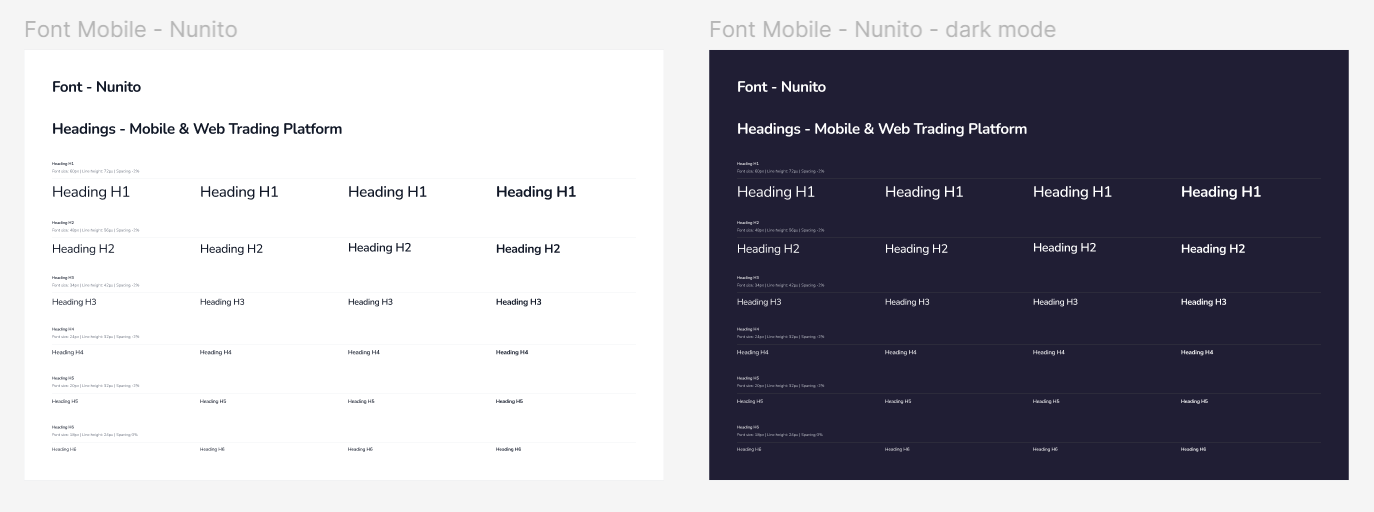
Later that year, with the launch of dark mode on the mobile app, we introduced the dark mode color palette. This color foundation now anchors the design system and supports the scalability of future products.
Typography
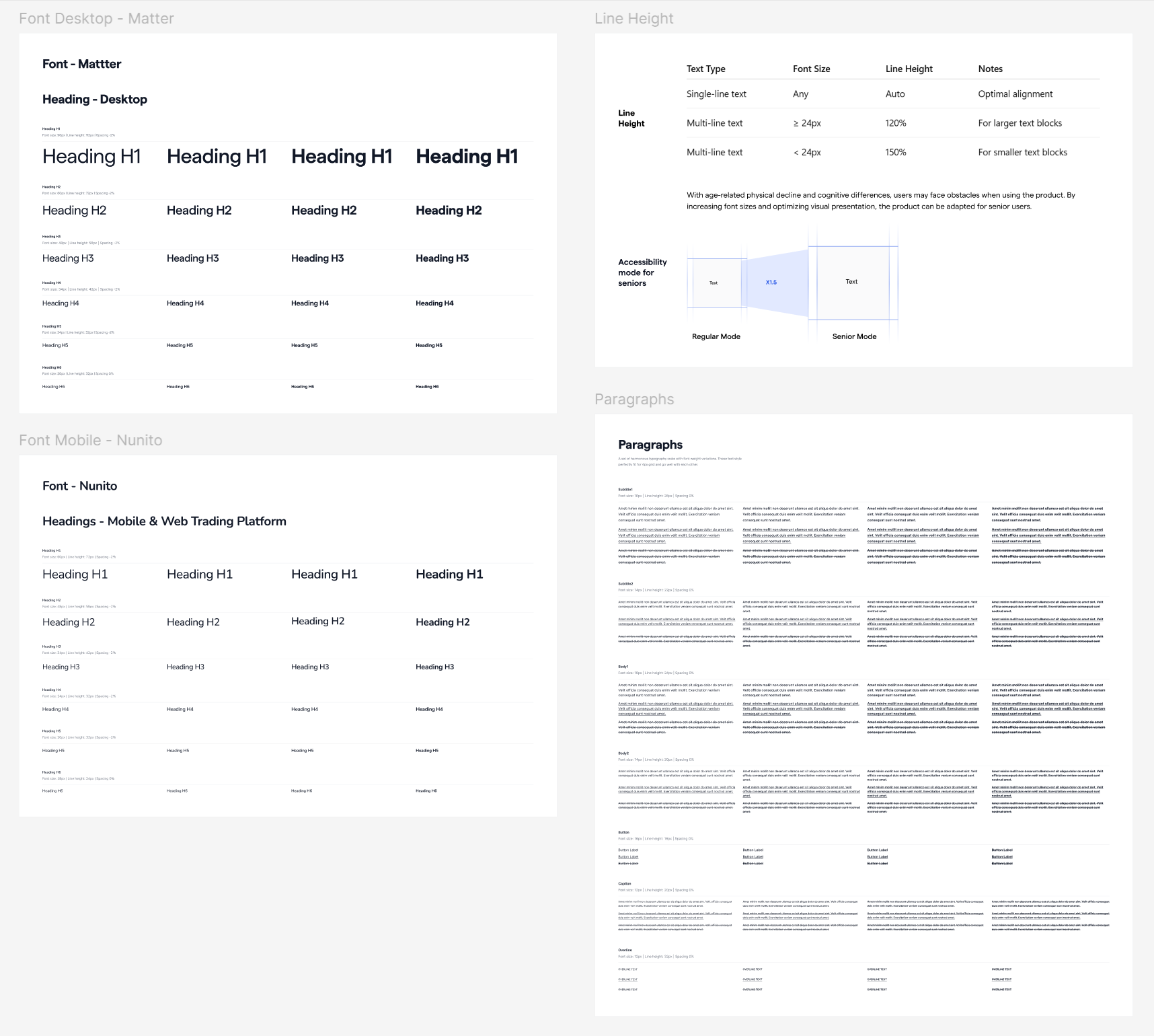
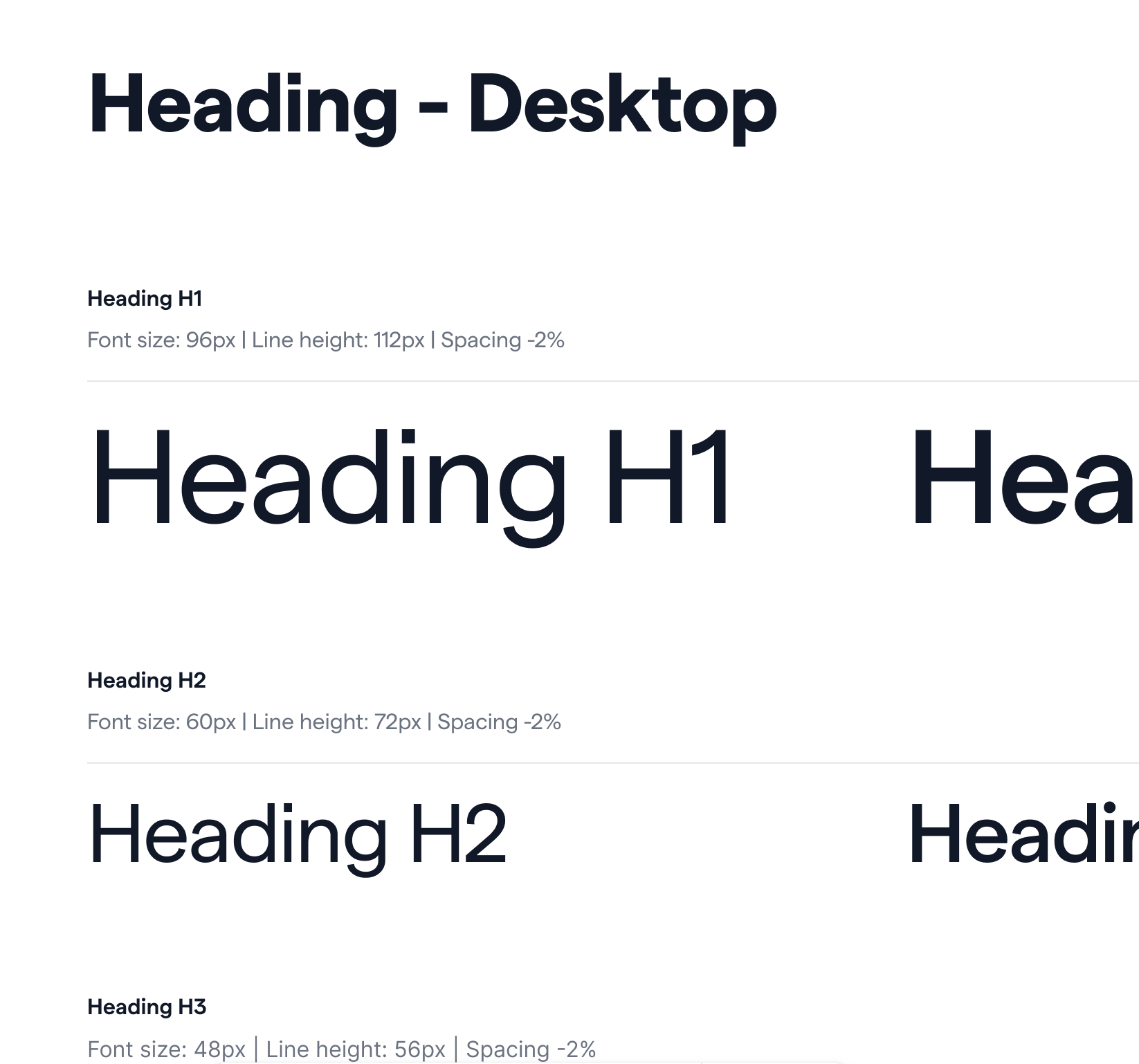
The Matter font family was chosen for the website, while the Nunito font family was applied across the mobile app and trading platform. Beyond font selection, I established detailed guidelines covering heading hierarchies, font sizes, line heights, and spacing ratios.
Logo
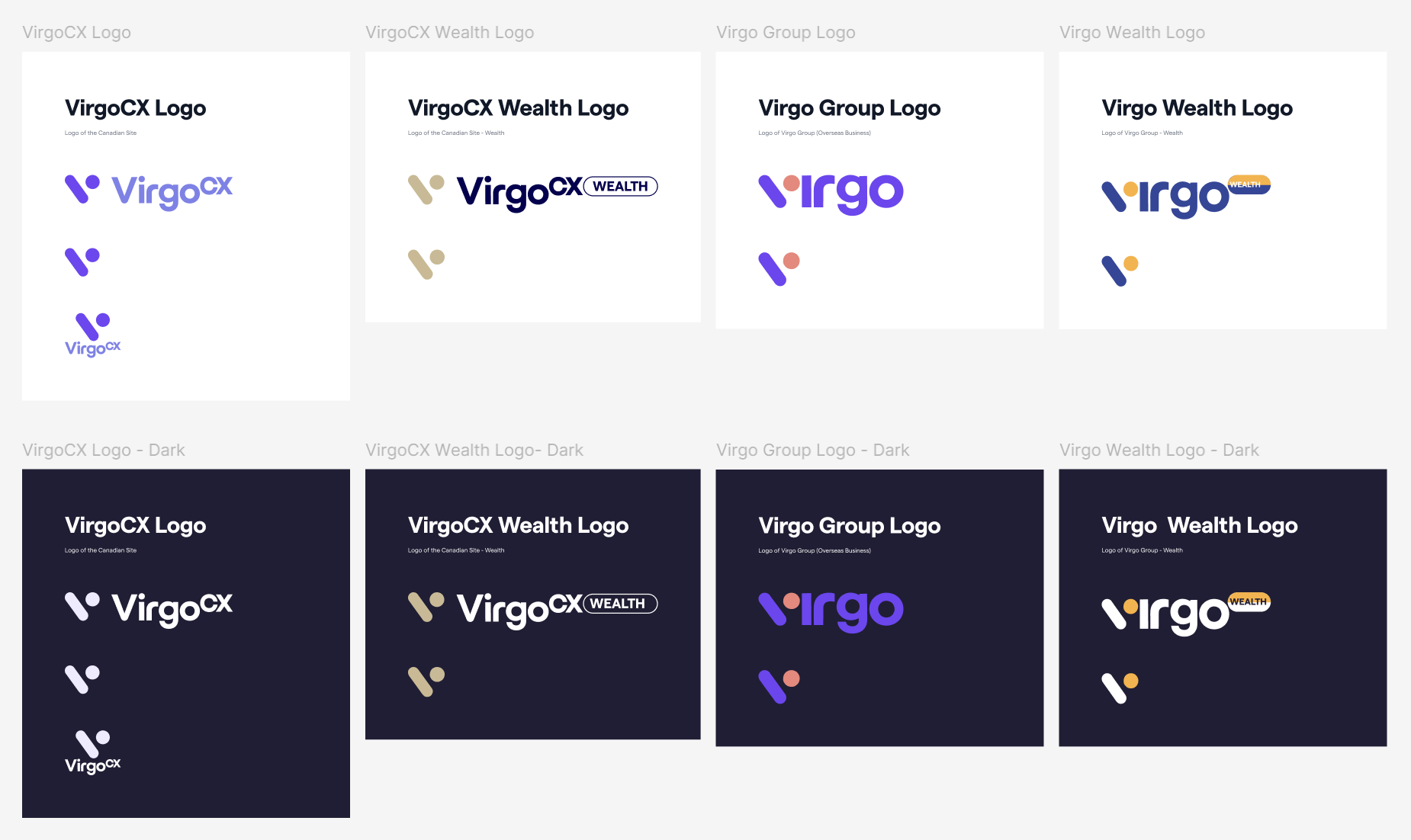
The original logos were documented in the design system. As the company expanded into Australia and the UK under Virgo Group, new logos were collaboratively developed with stakeholders. All logos were then systematically documented in the design system.
Button
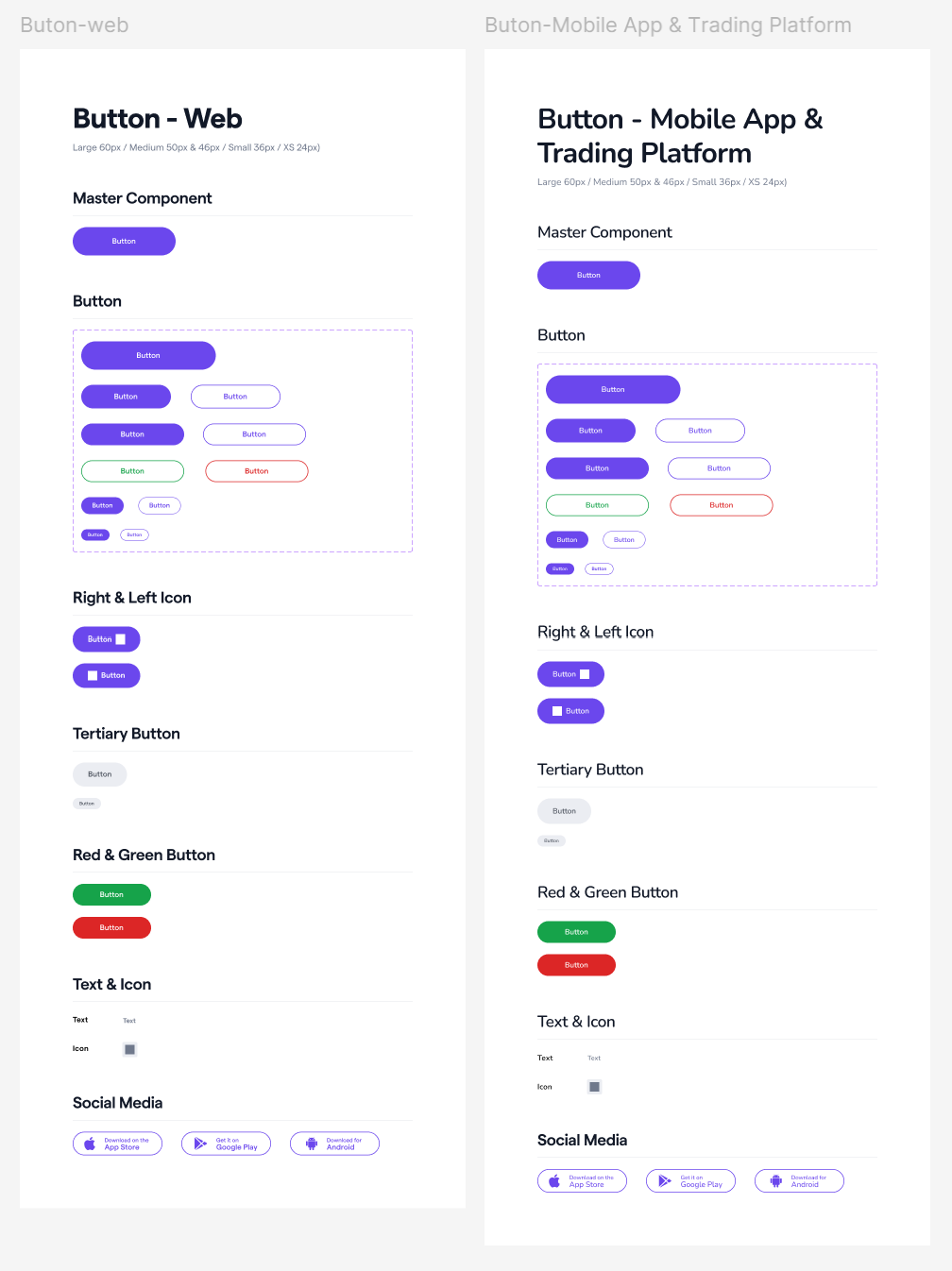
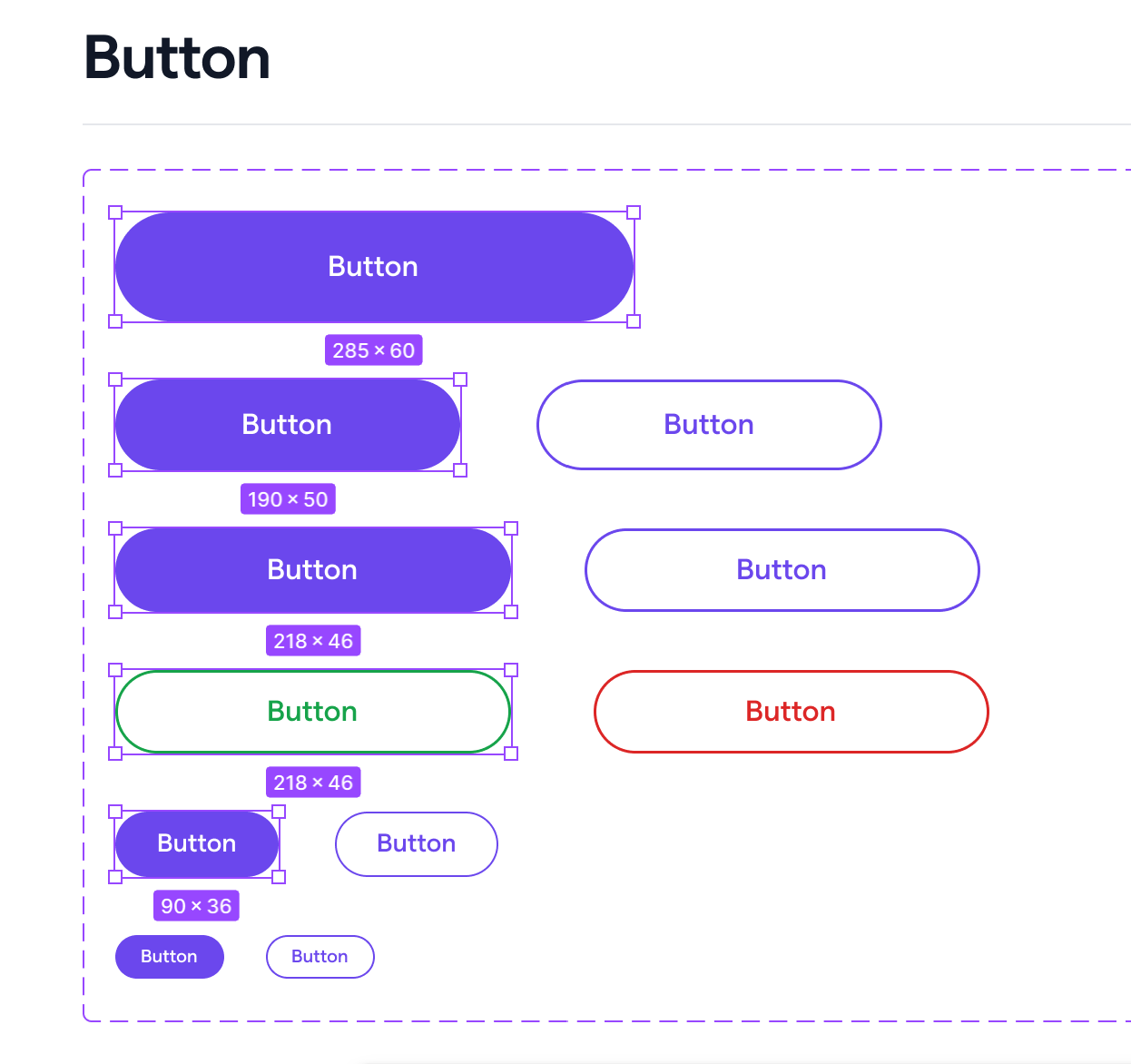
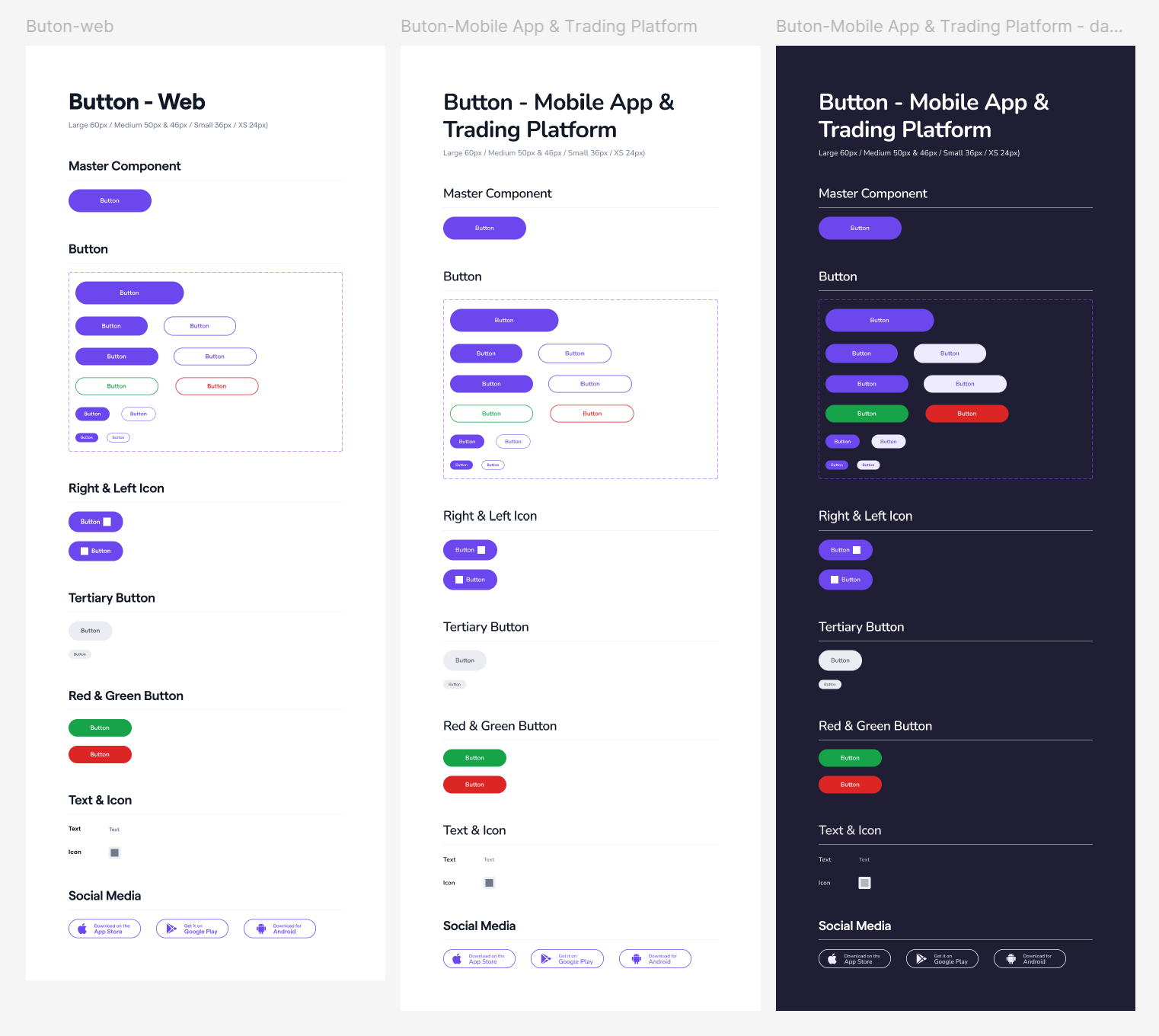
We standardized buttons and their sizes — large at 60px, medium at 50px, and small at 36px. We also removed gradient colors from the buttons and kept them solid to ensure visual consistency.
Icons
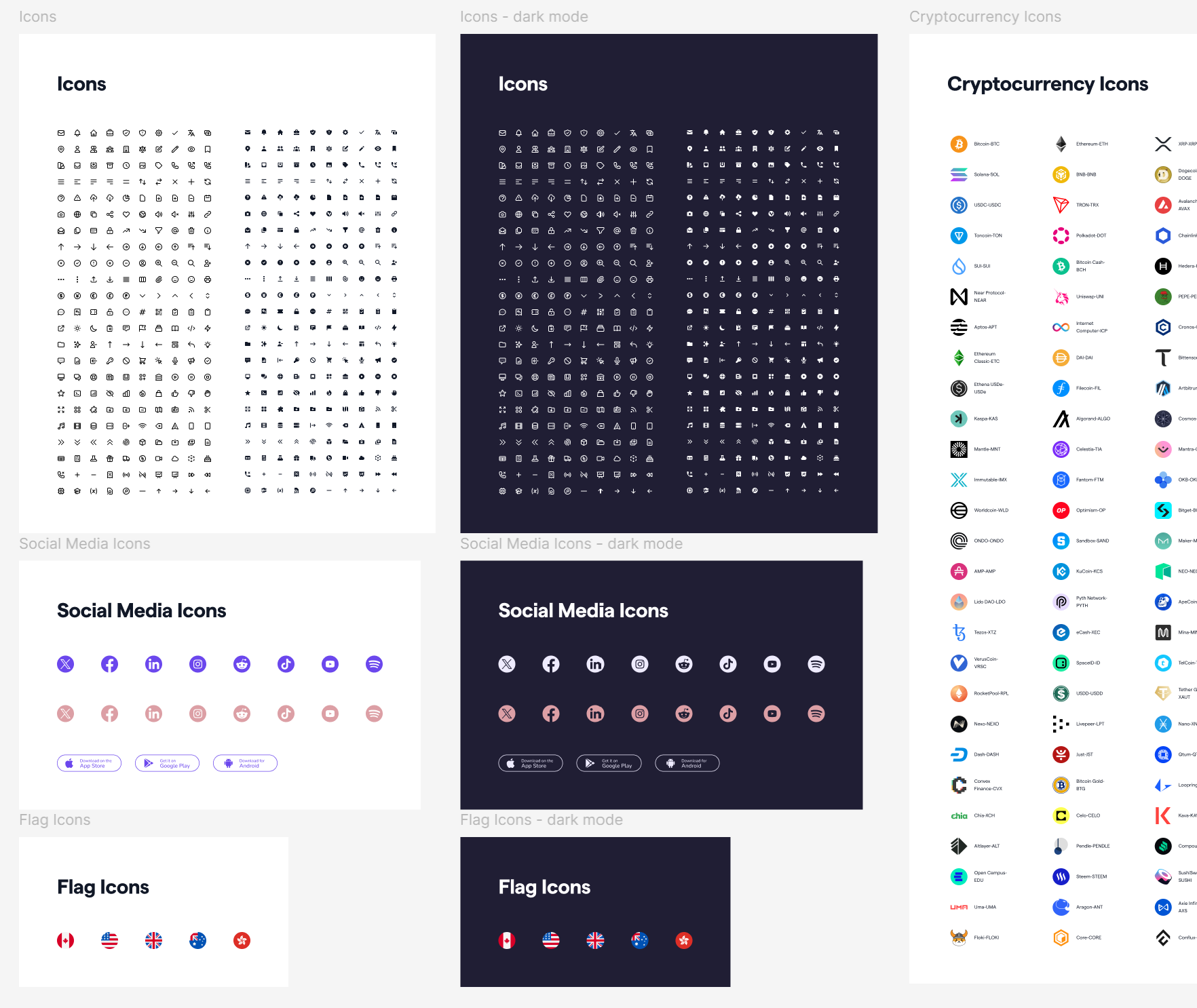
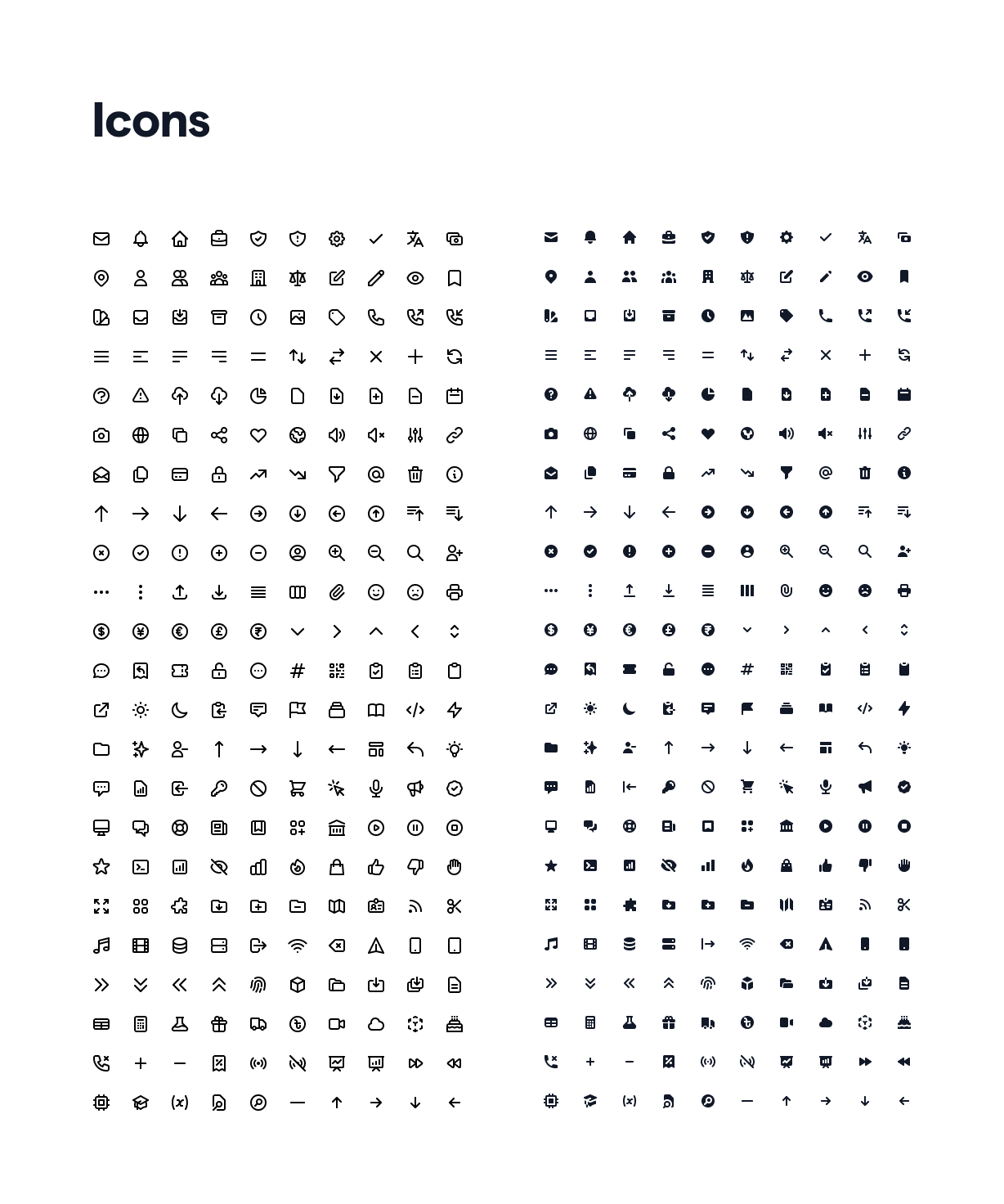
At the beginning, icons for both web and mobile were not standardized, as most were sourced from the Noun Project. This led to inconsistencies in style and line weight. To address this, a complete set of standardized icons was purchased to ensure consistency across current products and to support future business expansion.
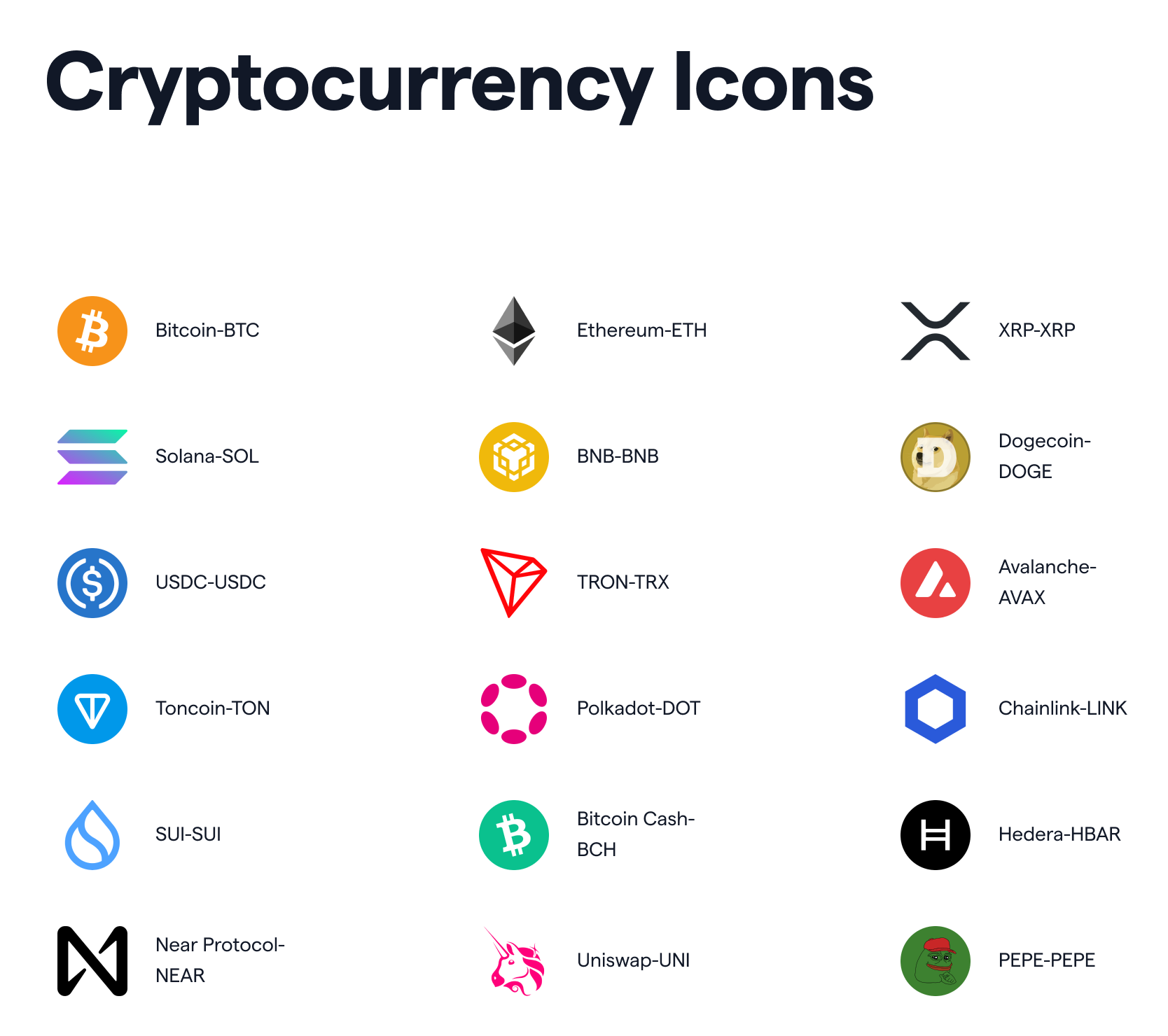
Cryptocurrency icons were heavily used across both product and visual design — ranging from the trading platform to marketing campaigns and printed event materials. To ensure consistency, I standardized these icons and properly labeled them in the design system.
Responsive Key Area Layout for Web & H5
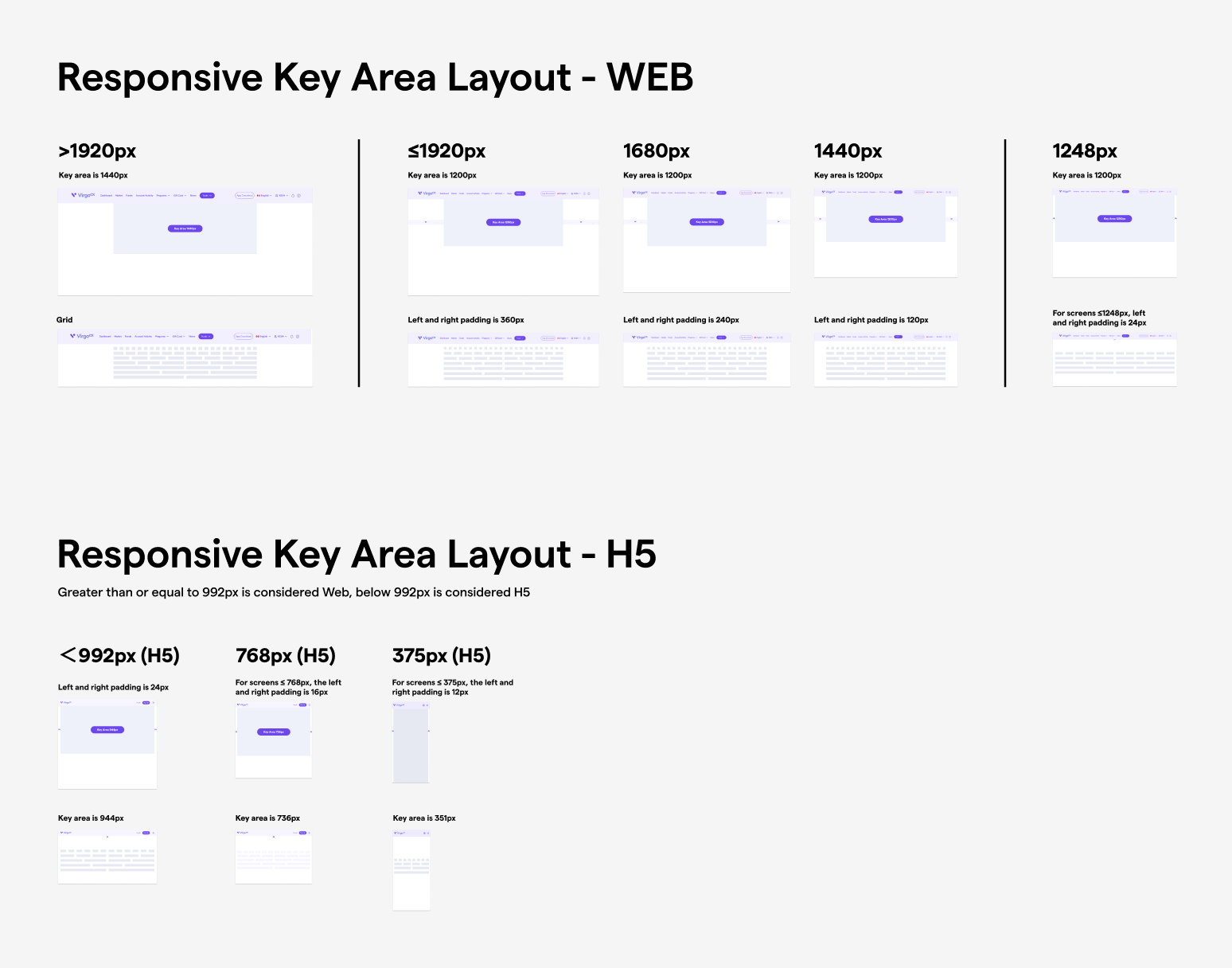
If the responsive key area layout isn't standardized, maintaining consistency becomes difficult — especially when multiple standalone websites exist under the company. We defined responsive key area layouts for both Web and H5 platforms to ensure consistent spacing and alignment across different screen sizes.
For Web (≥1248px), the key area ranges from 1200px to 1440px with horizontal padding between 24px and 360px. For H5 (<992px), we adopted a mobile-first approach, scaling the key area from 944px down to 351px with padding from 24px to 12px.
Header & Footer
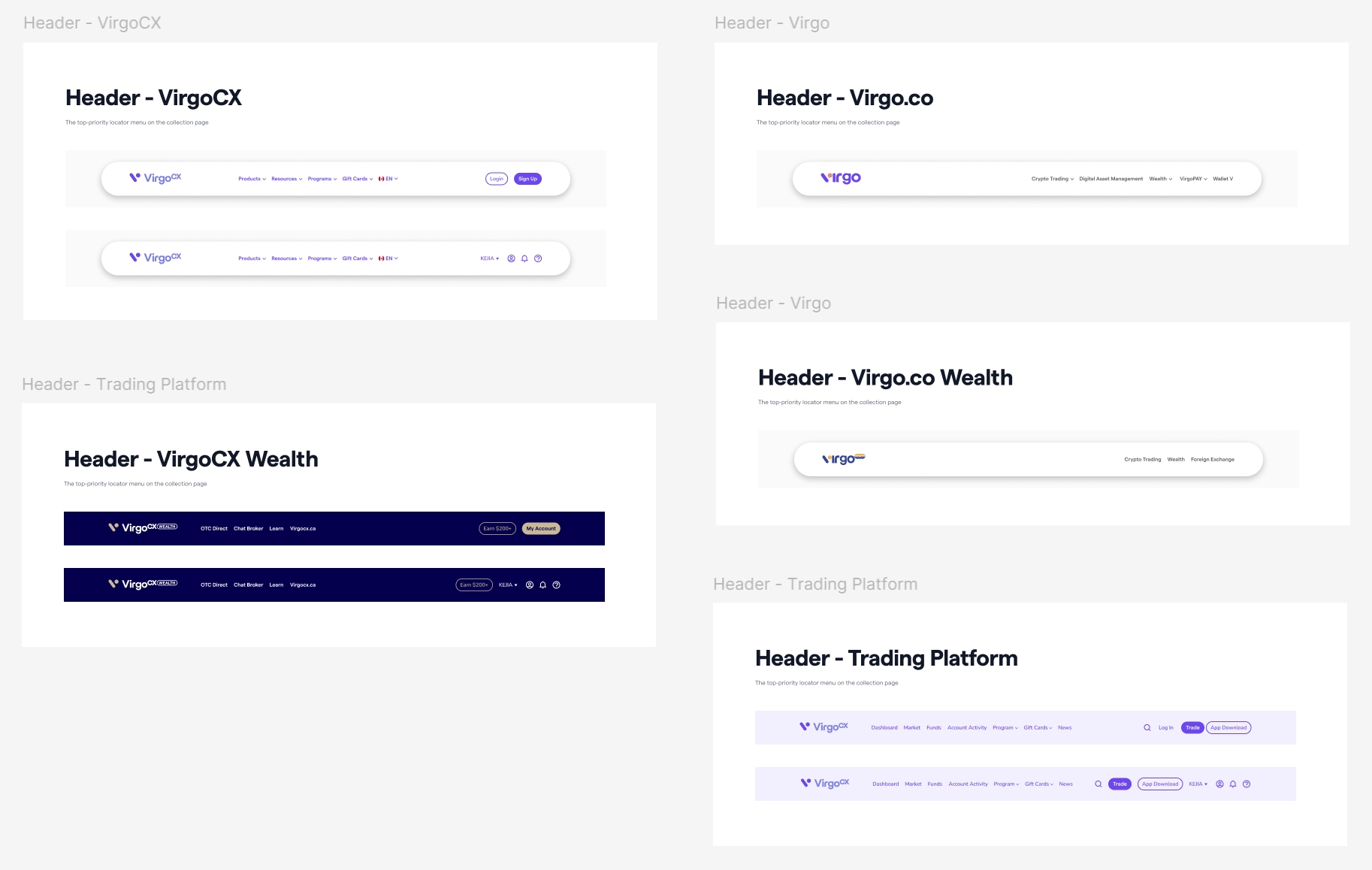
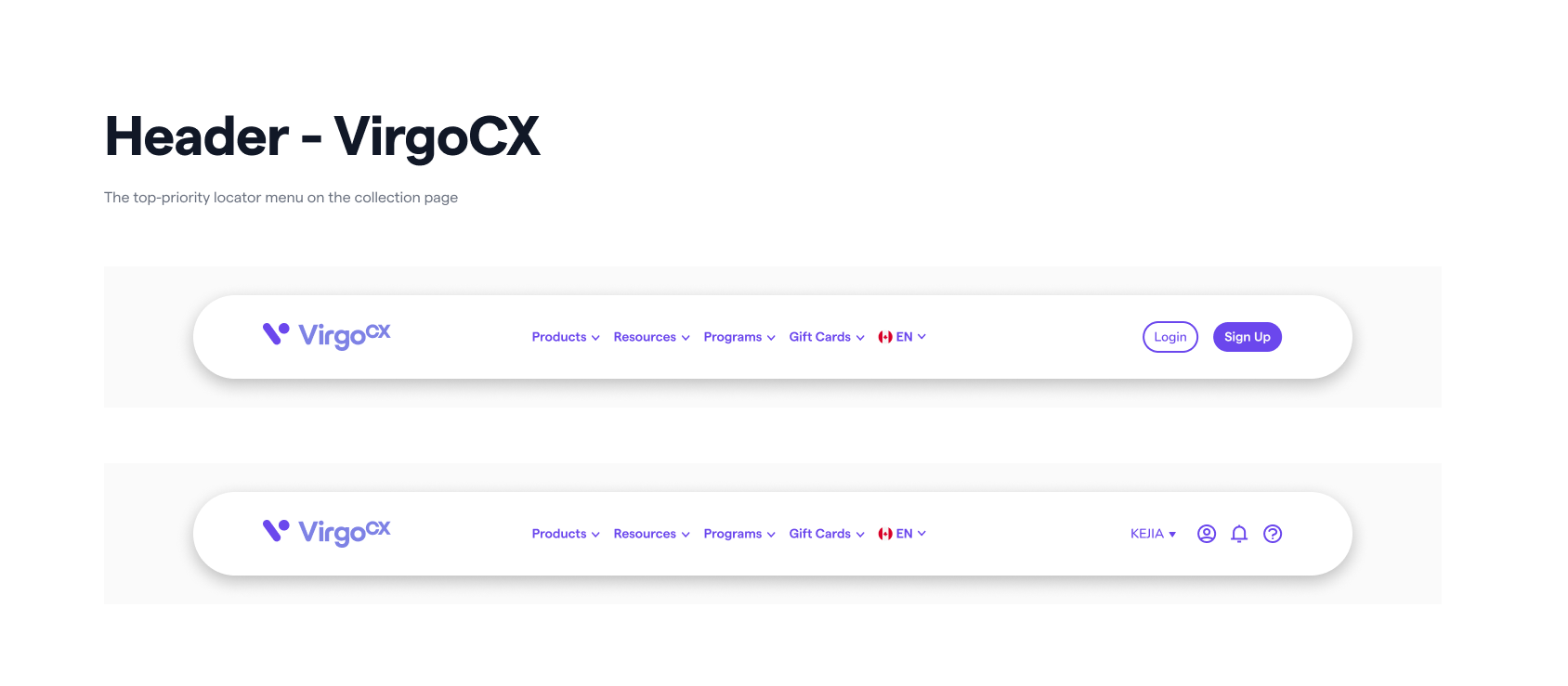
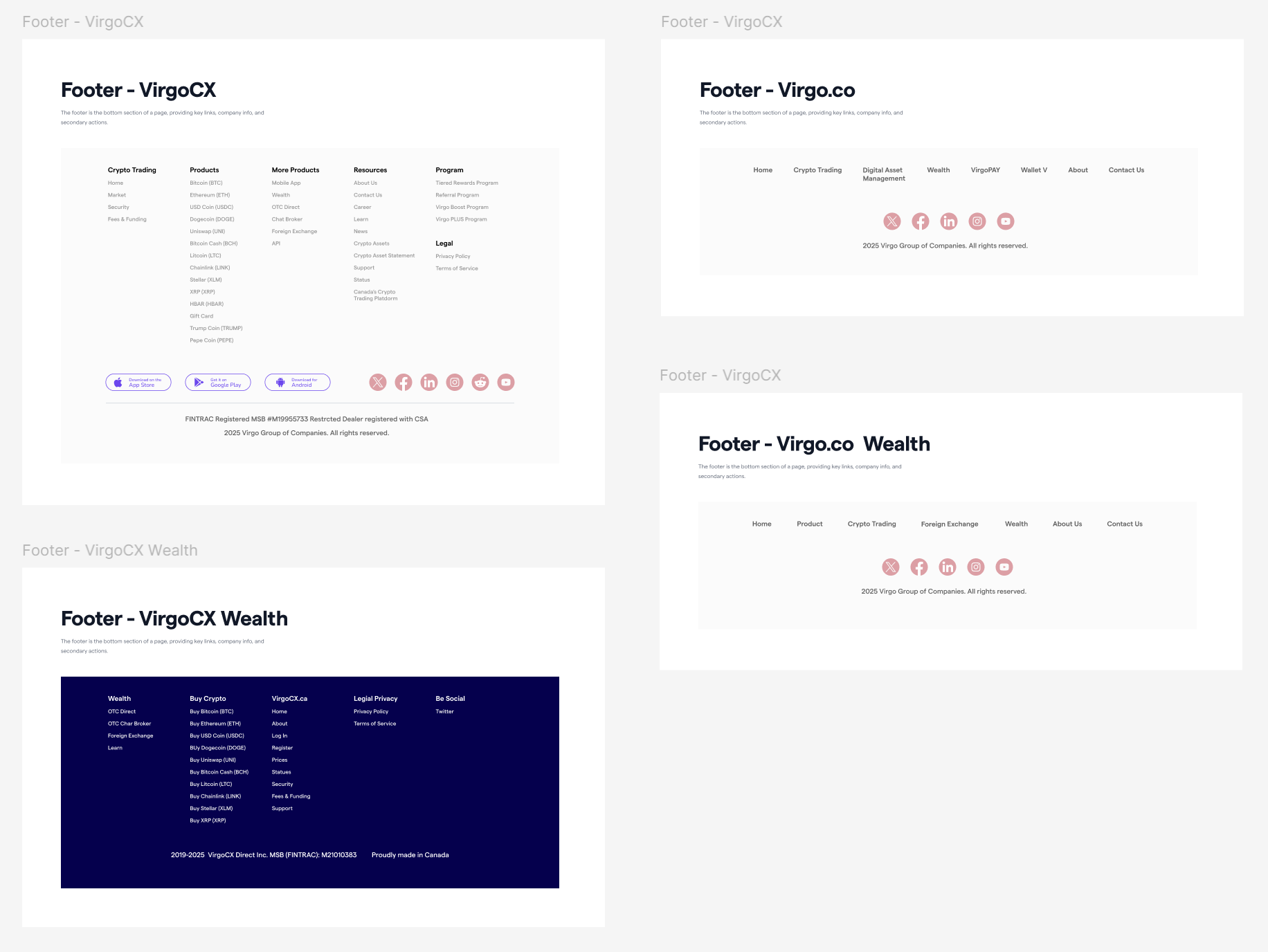
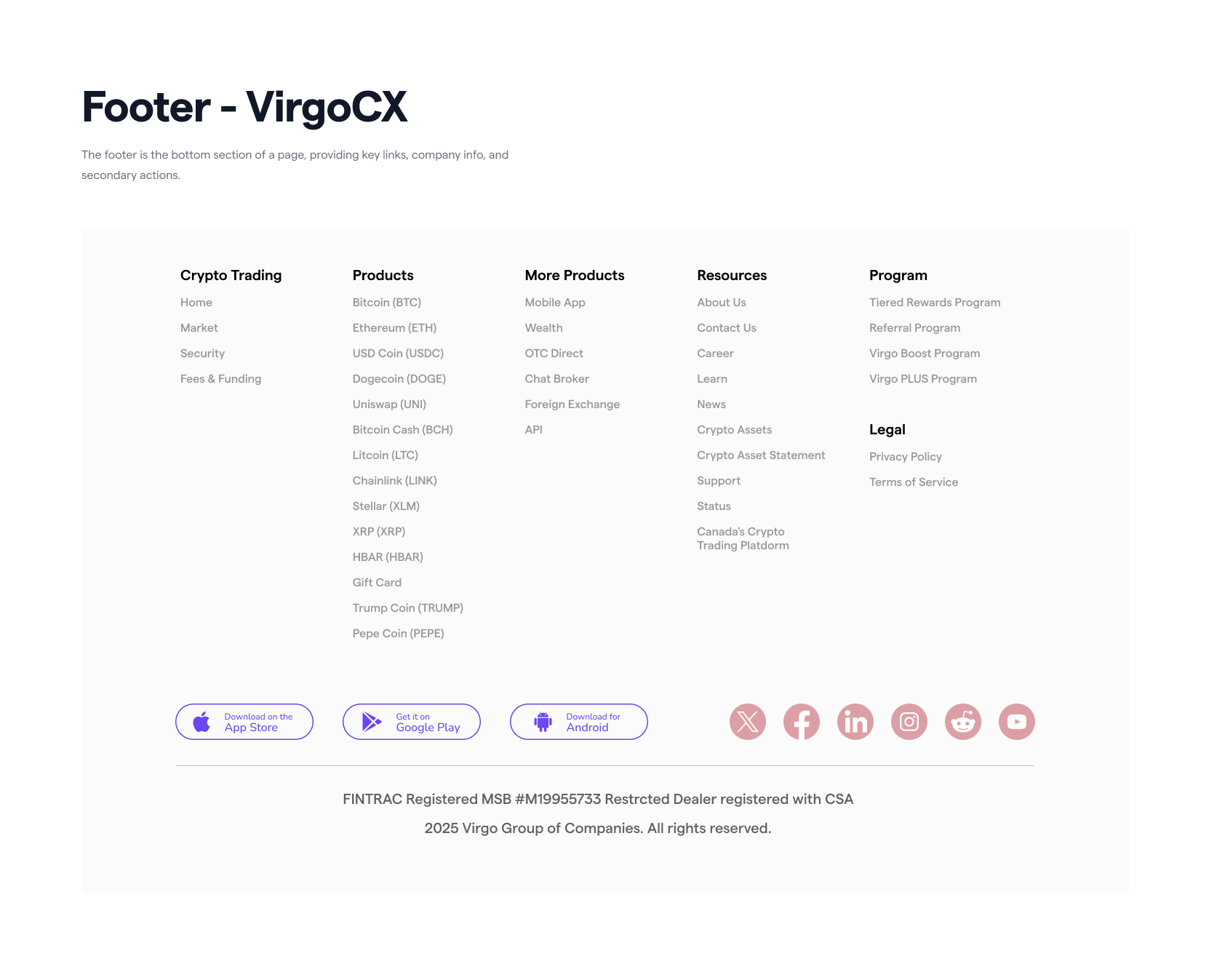
With the revamp of the main website virgocx.ca, the header and footer were standardized to ensure consistency ahead of the company's international expansion. The design was collaboratively developed with the product manager and head of the product team.
Others
The design system also includes a set of foundational and UI components — such as spacing scales, border radius tokens, checkboxes, dividers, switches, dropdown menus, input fields, and card layouts.
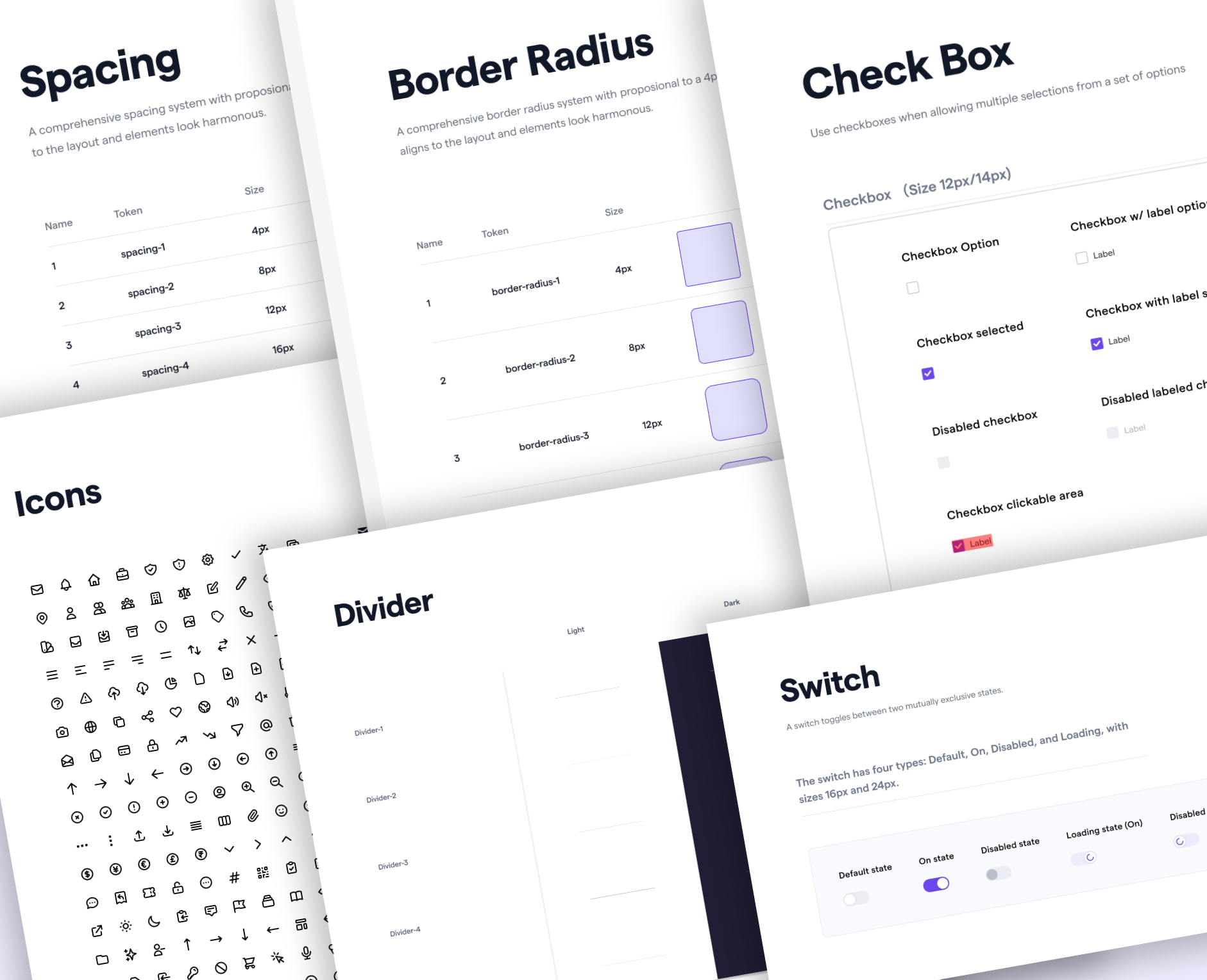
This design system is not a finished project but rather a foundation that continues to evolve. It is built to grow with the company's products, allowing more components and standardized elements to be documented and added over time.
Design System in Action
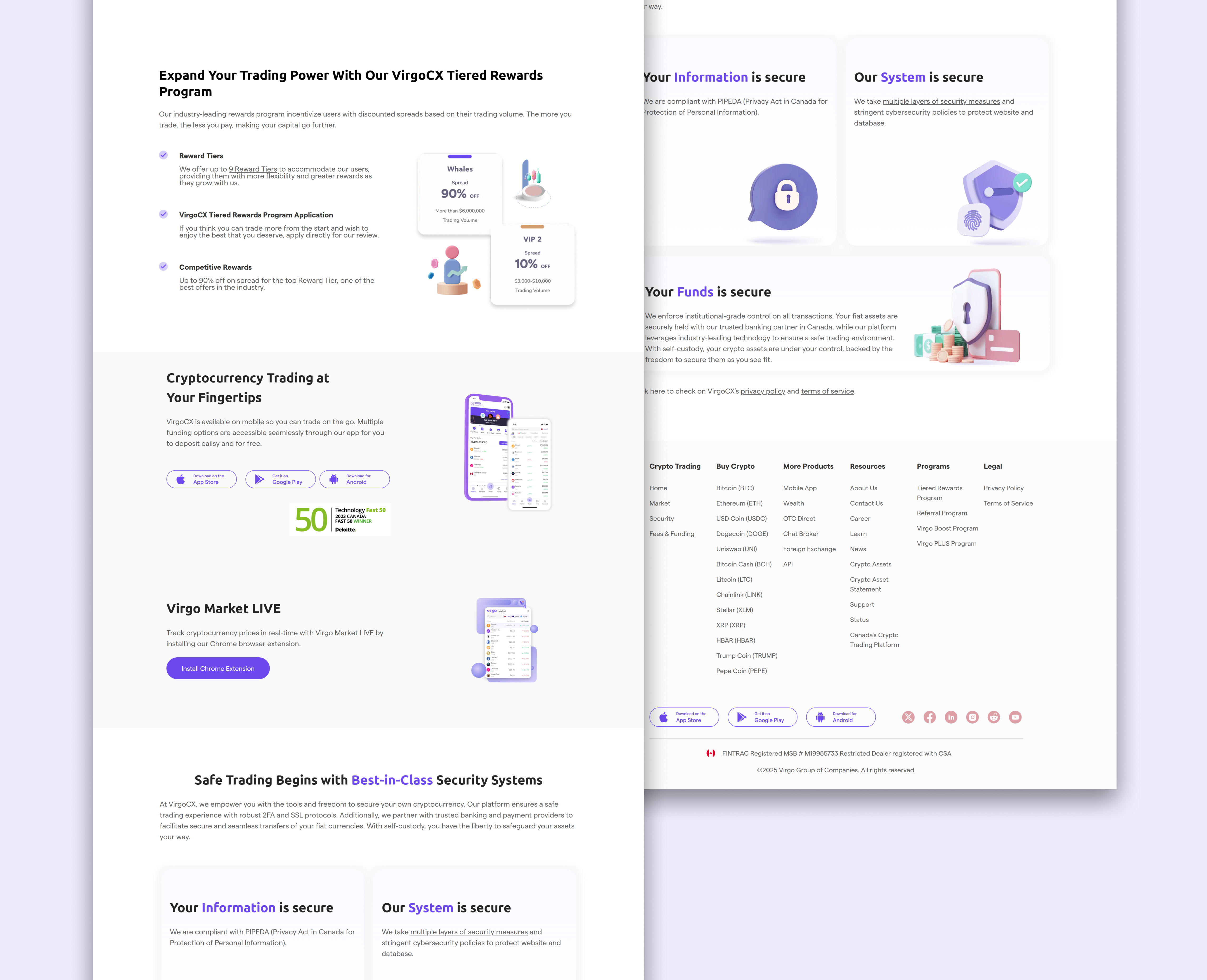
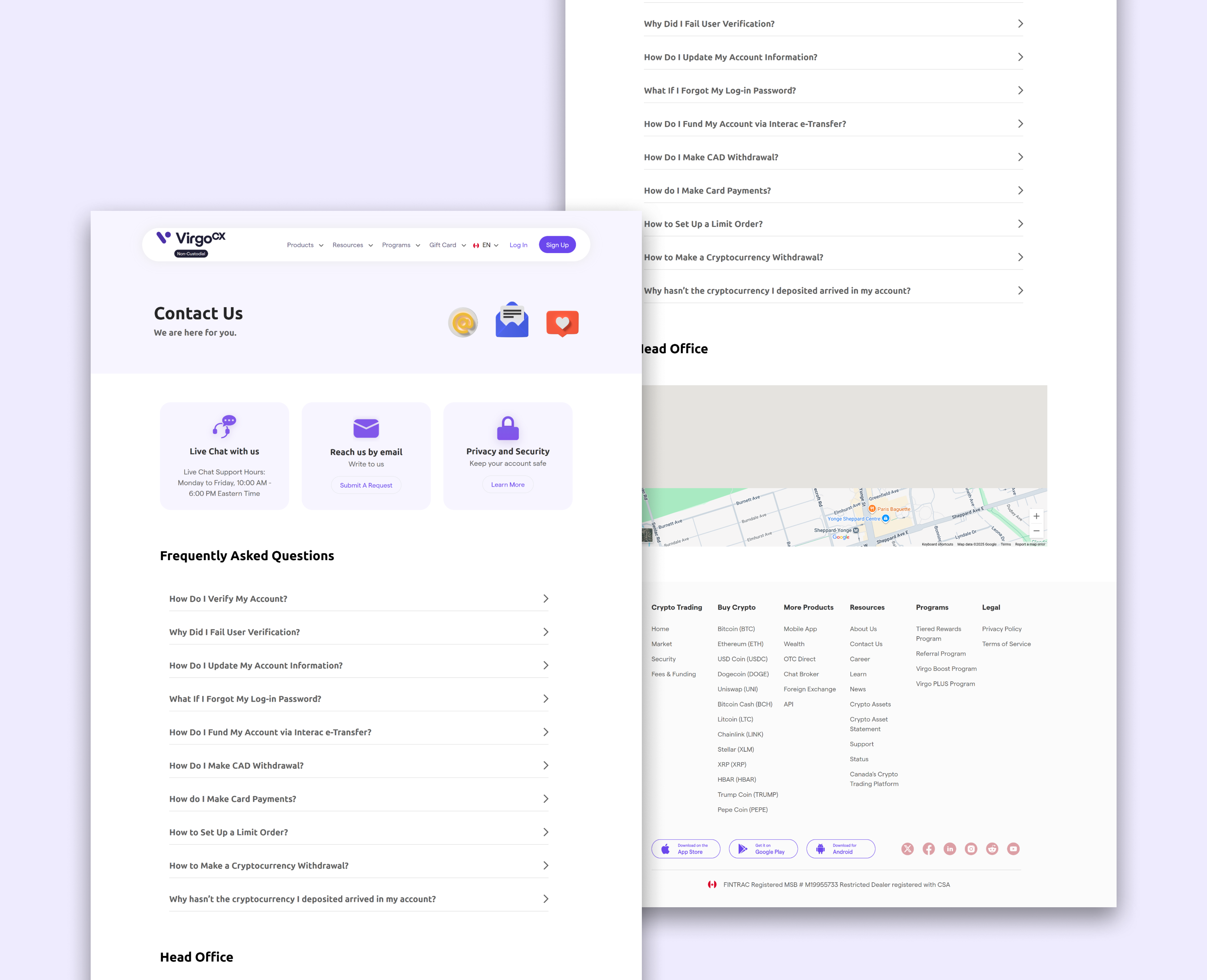
Canadian Website Redesign
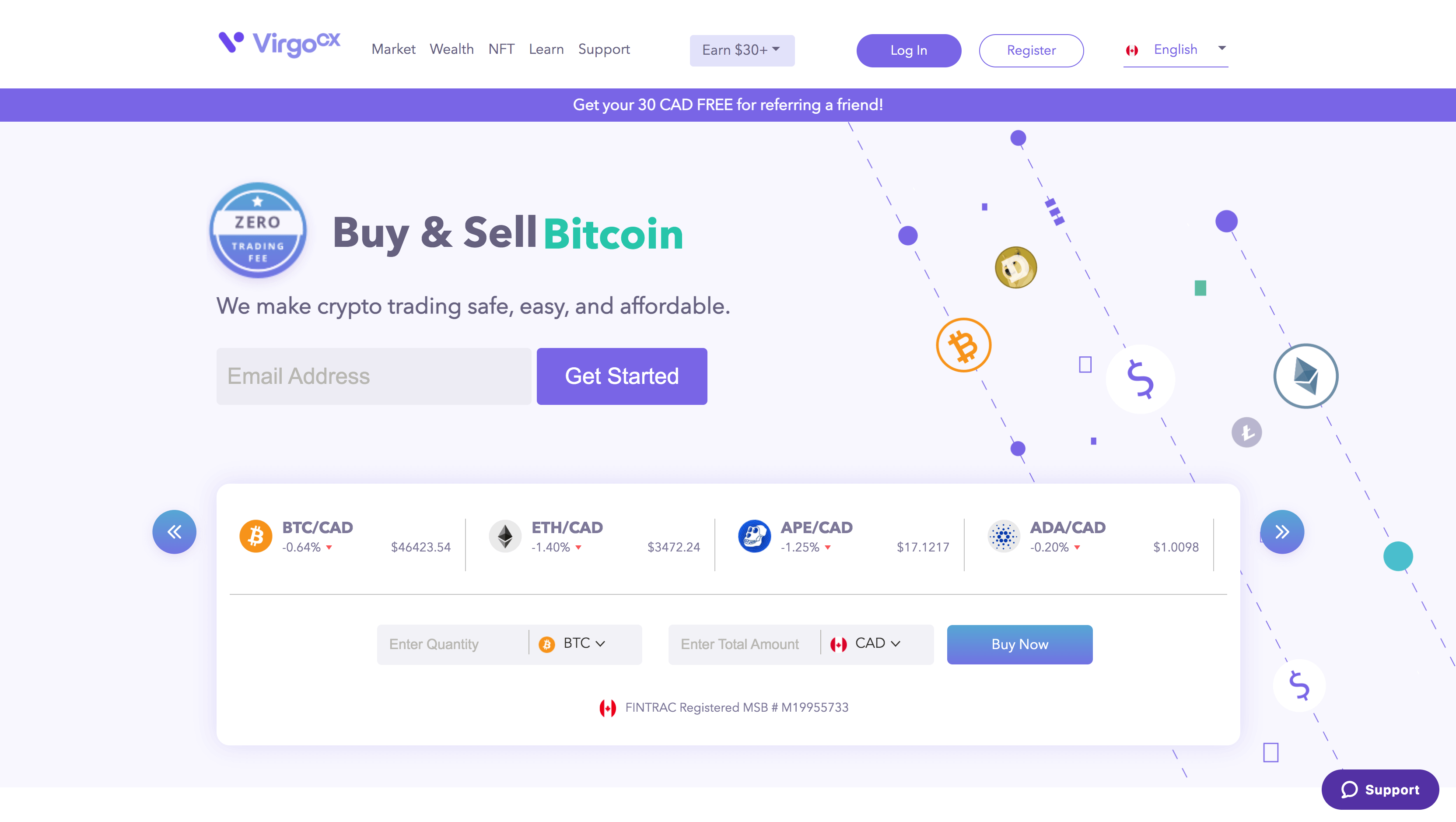
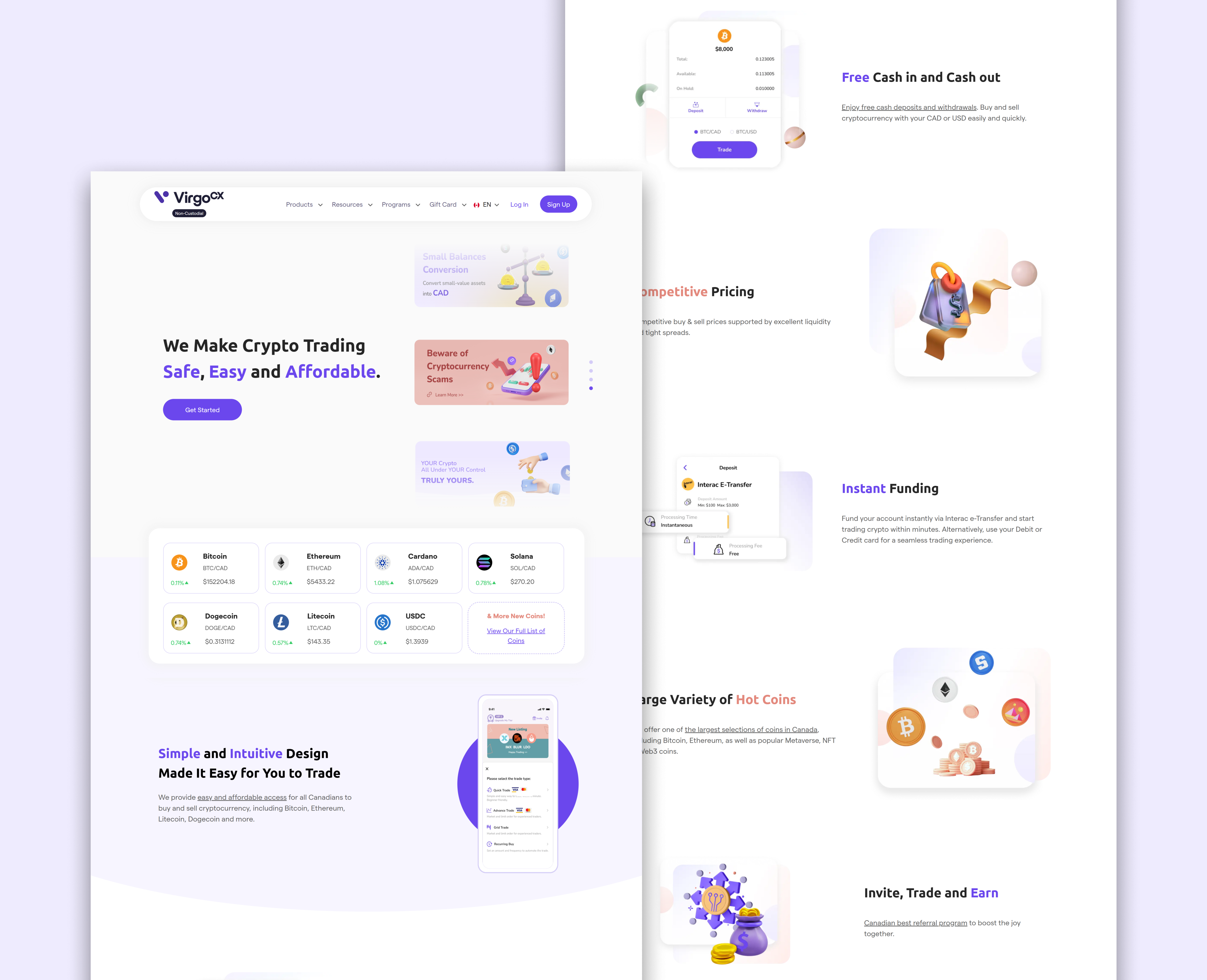
Using the design system during the website revamp ensured that each component was standardized and consistently implemented across the redesign. This not only created a more cohesive look and feel but also streamlined the process of updating and building new subpages.
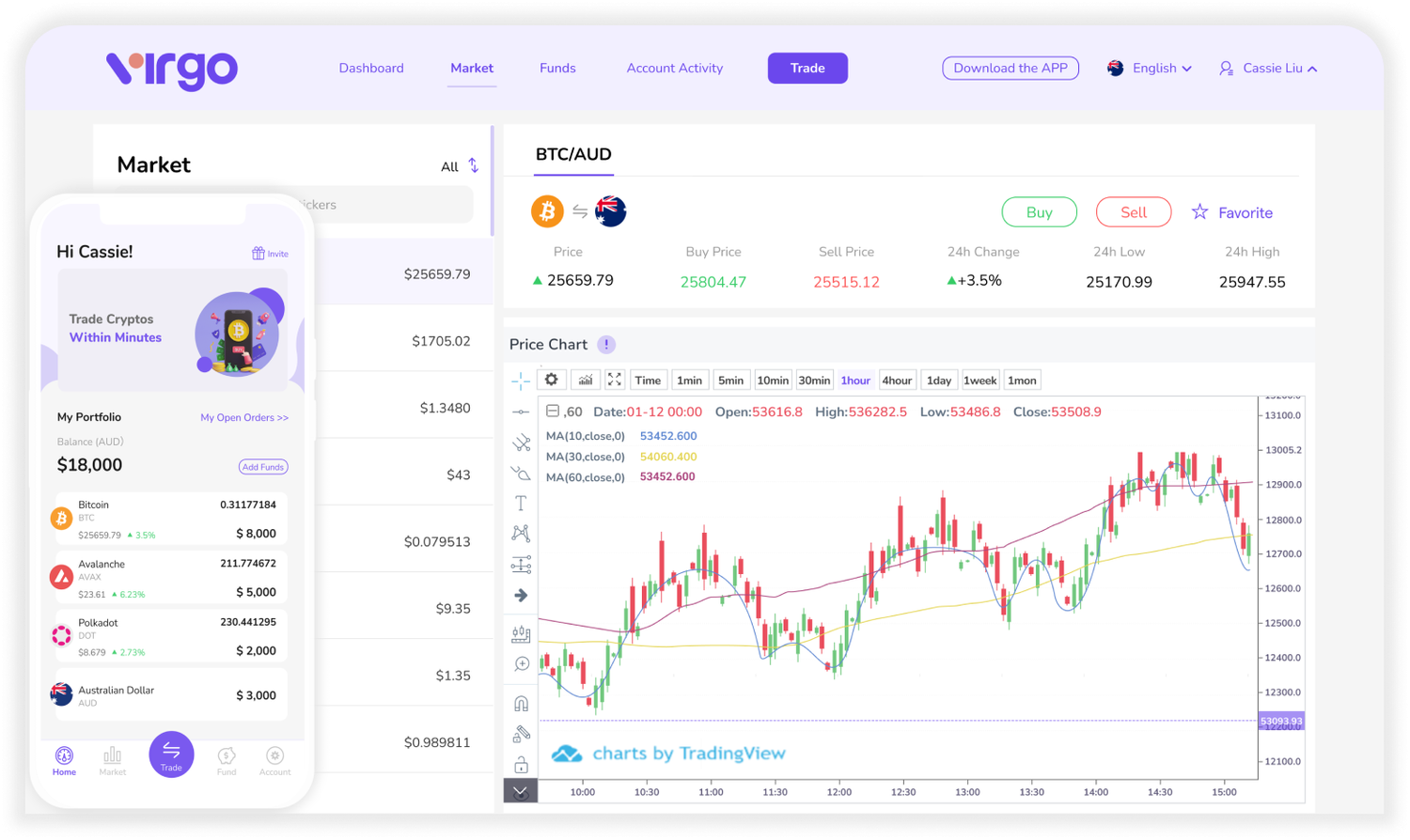
Old website:
Website revamp:
Brand / Global Consideration
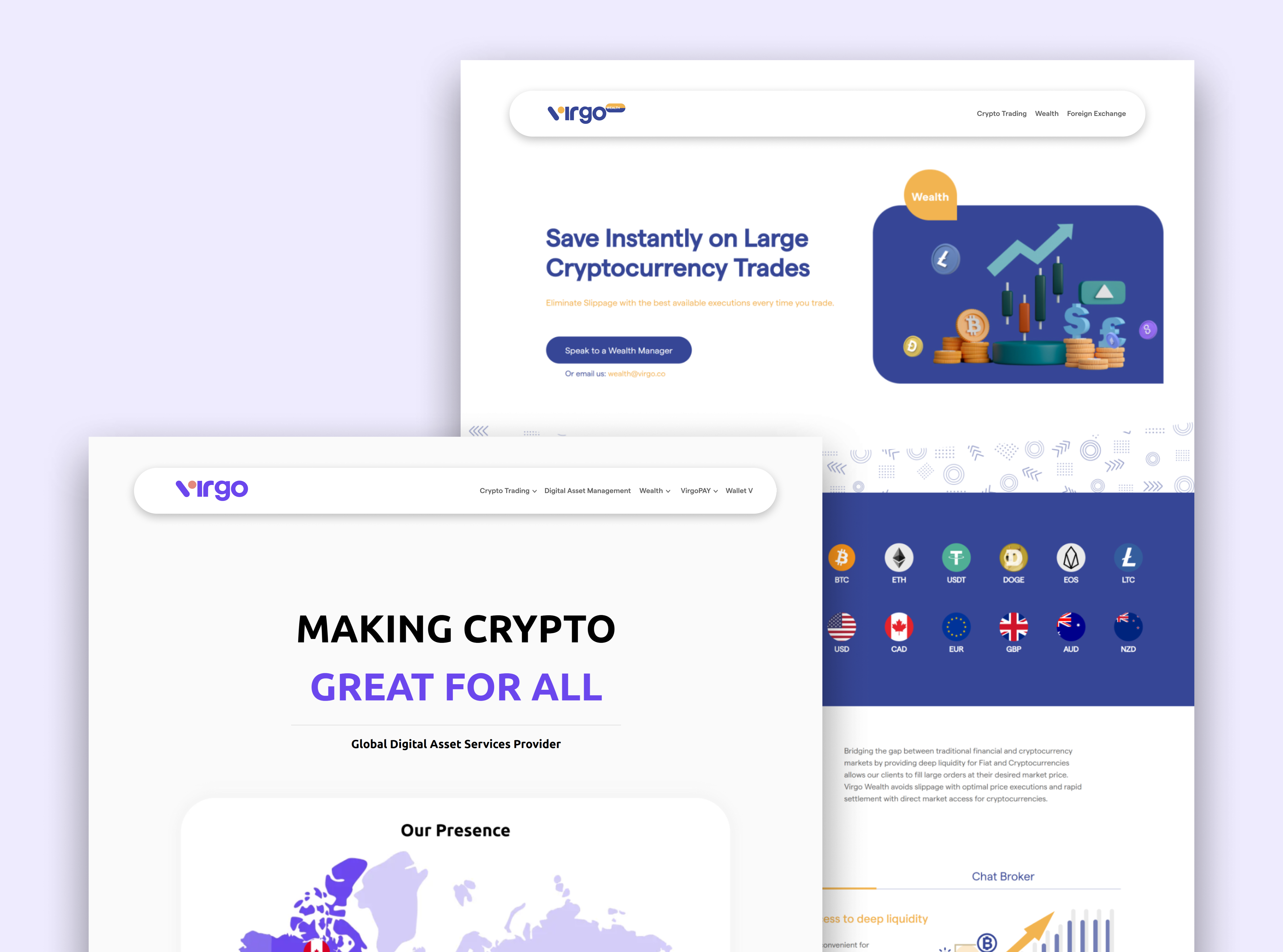
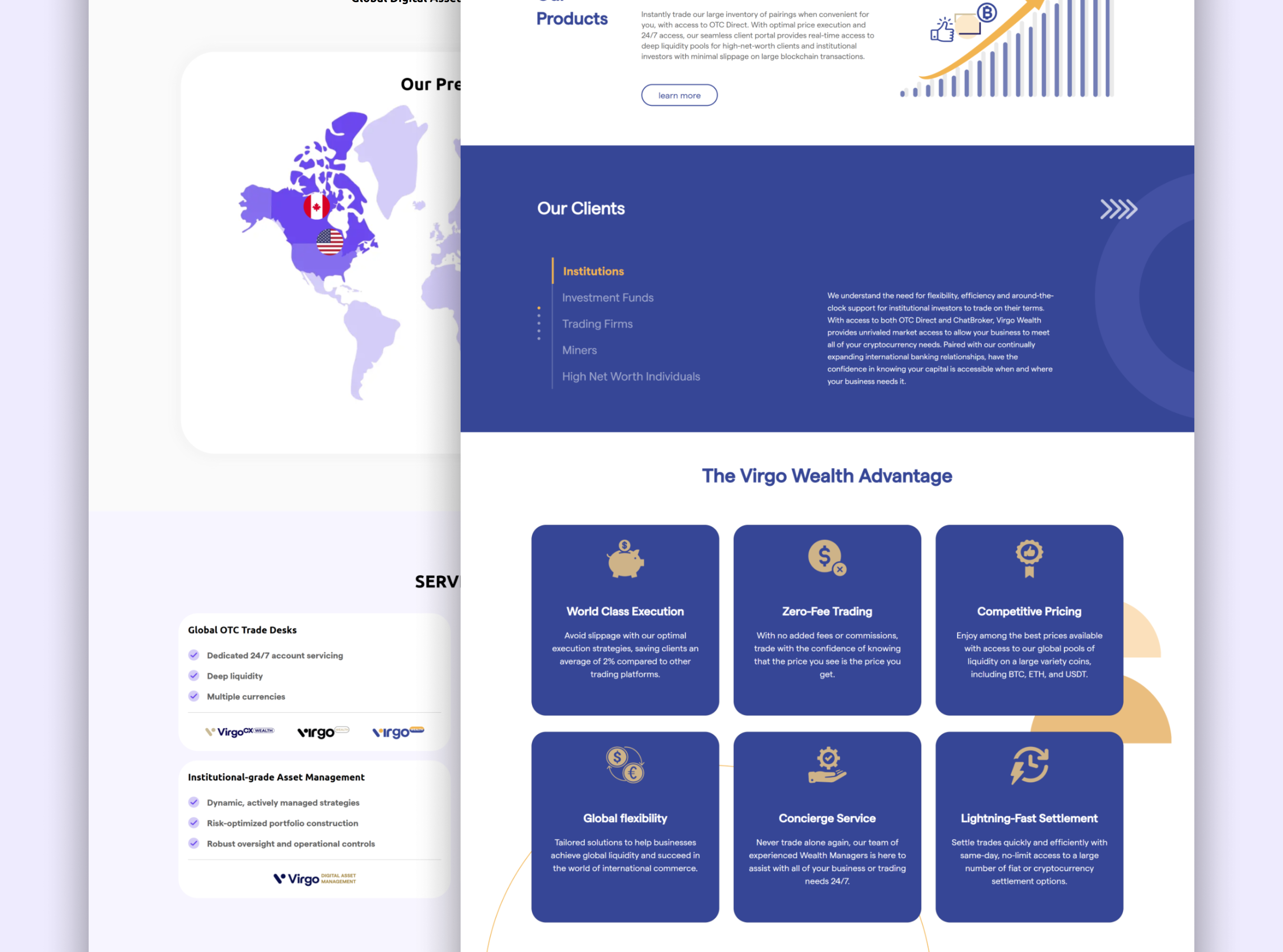
With VirgoCX expanding overseas, the updated design system became the foundation for building the new Virgo.co website, supporting the company's global business strategy. By leveraging standardized components, typography, and color systems, we ensured consistency across regions while still allowing flexibility for localization.
Dark Mode
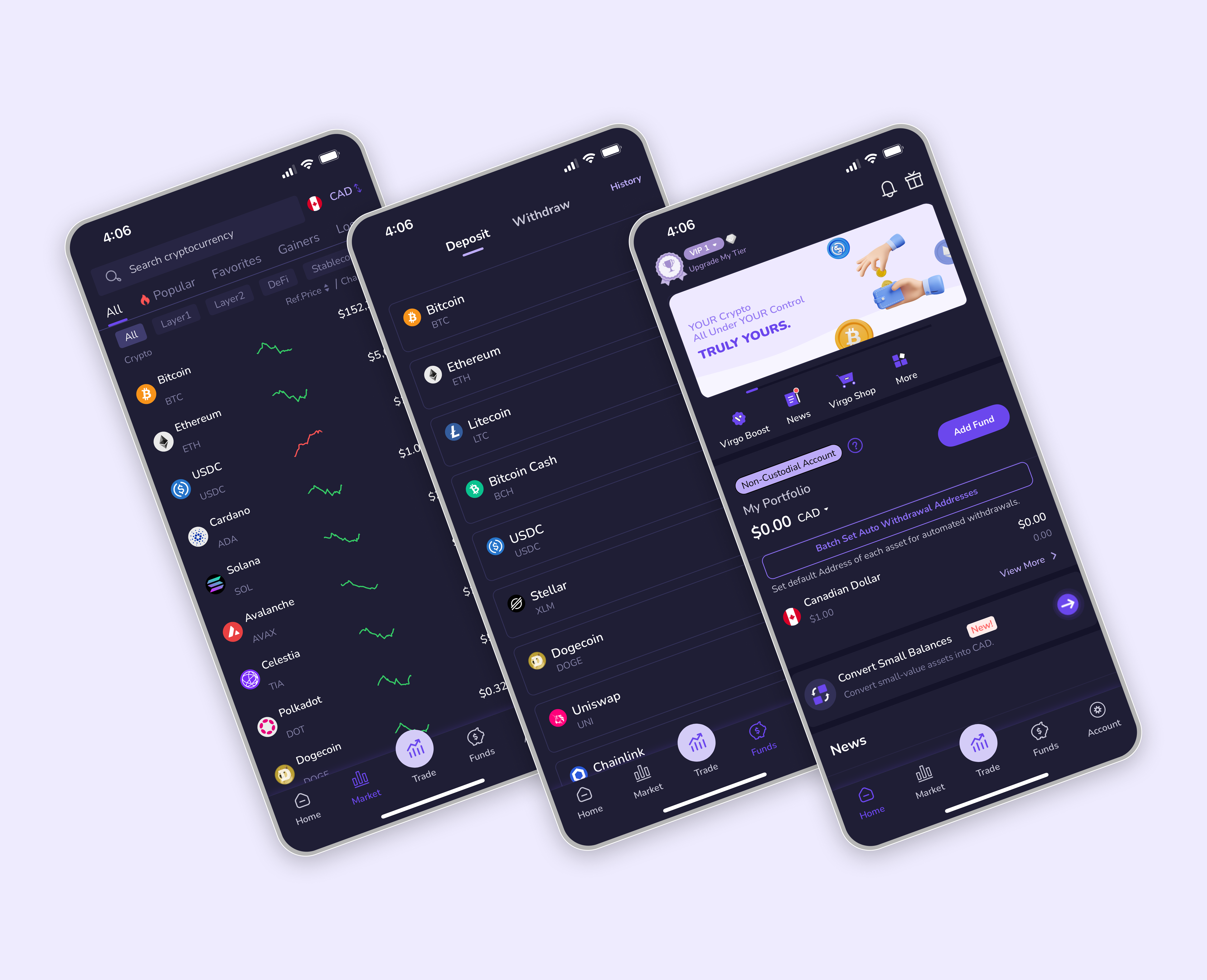
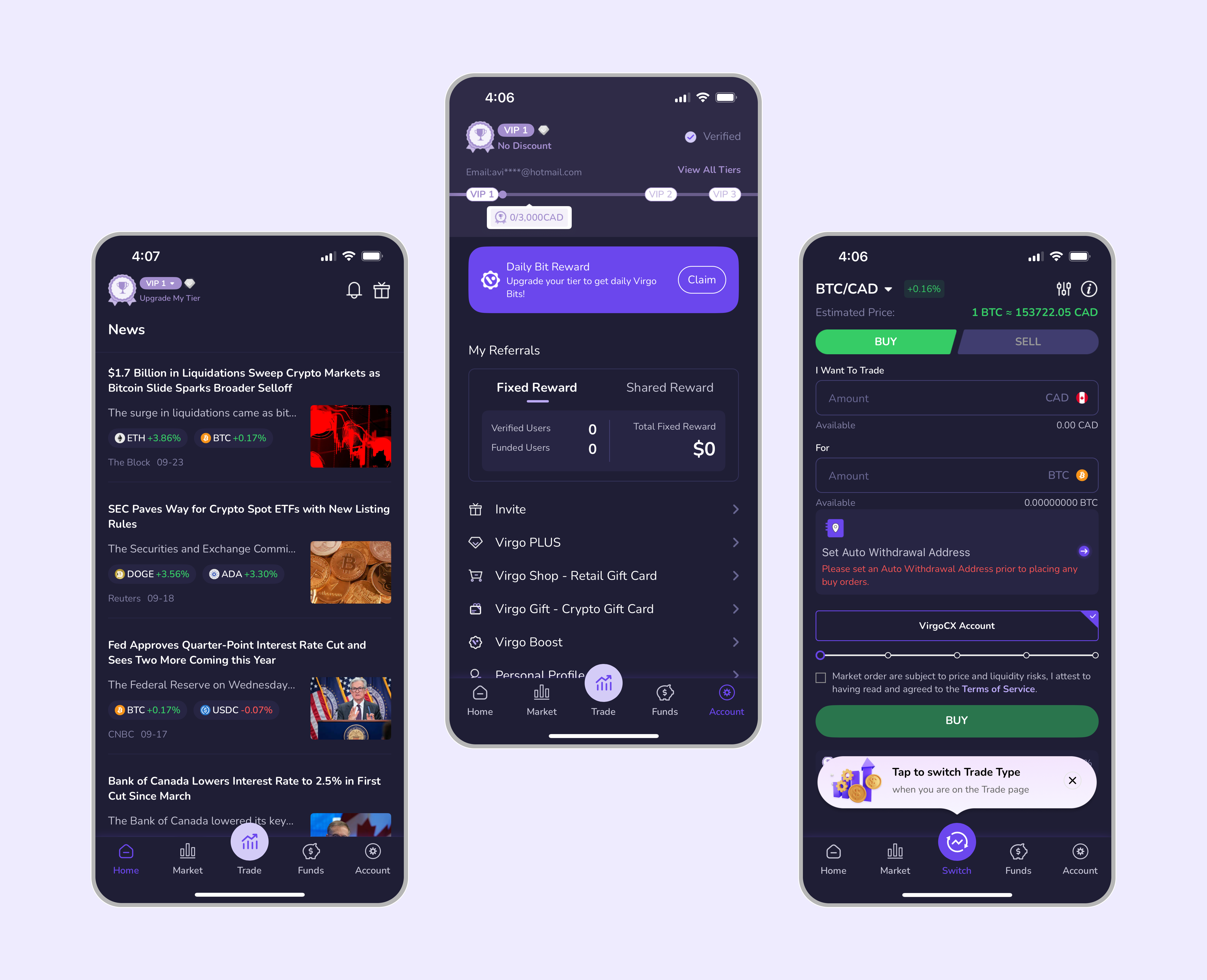
Instead of implementing broader accessibility features at once, the team and I decided to focus on dark mode first. Users check the markets throughout the day and night, so readability was key. We tried out several color palettes and finally landed on a dark mode for the mobile trading app first. With the design system in place, adding dark mode to the website in the future will be much easier.
Design Consistency Across Teams and Channels
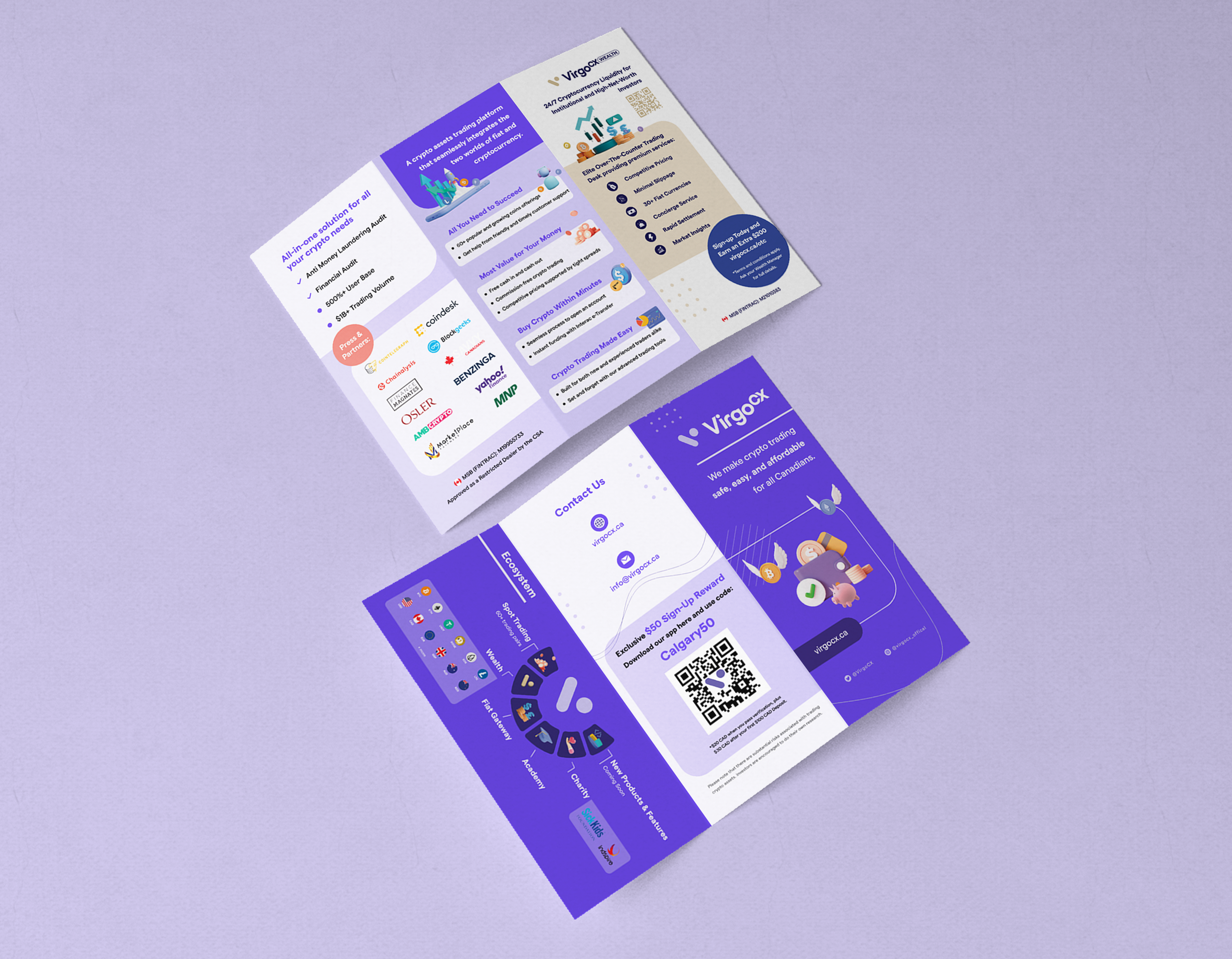
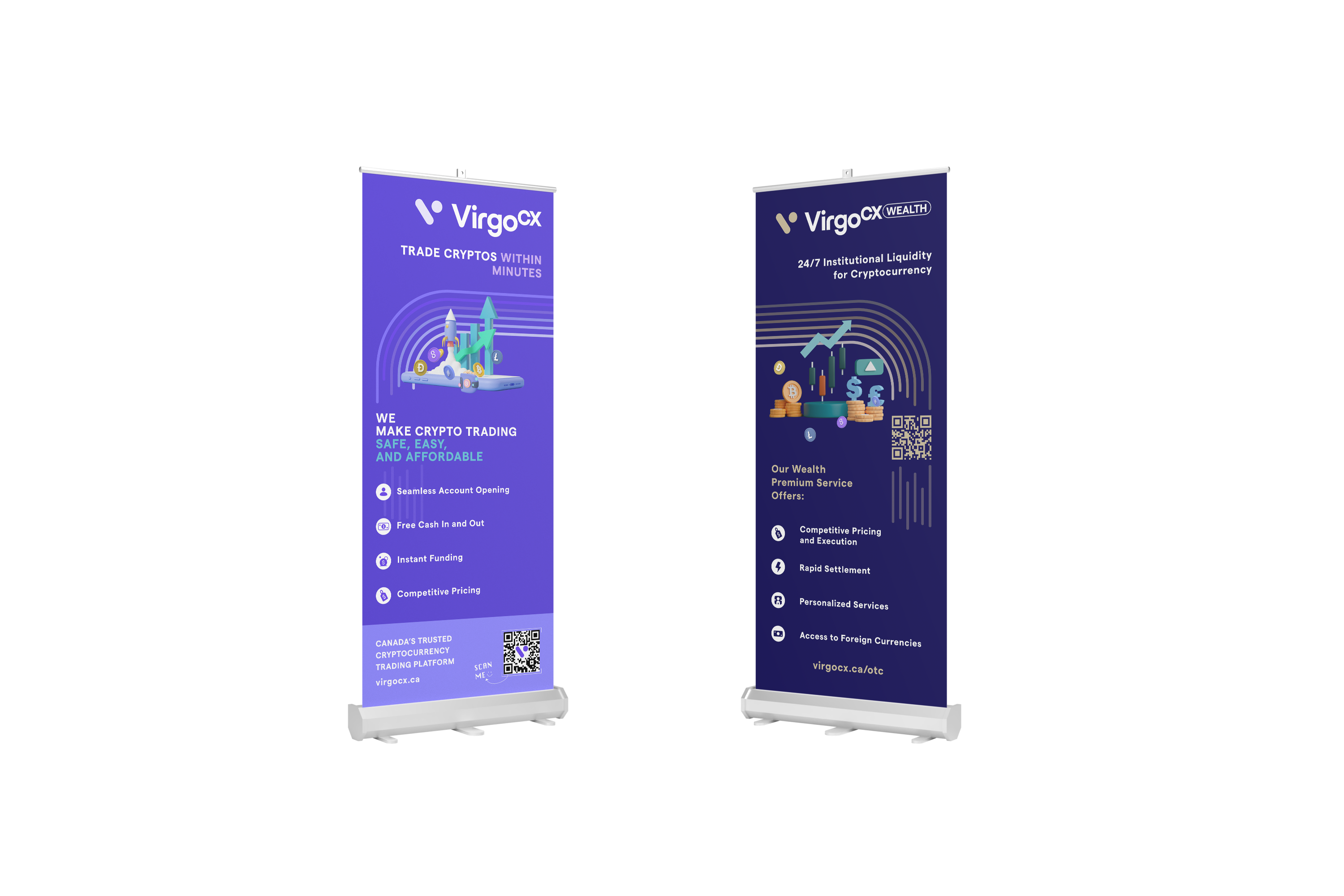
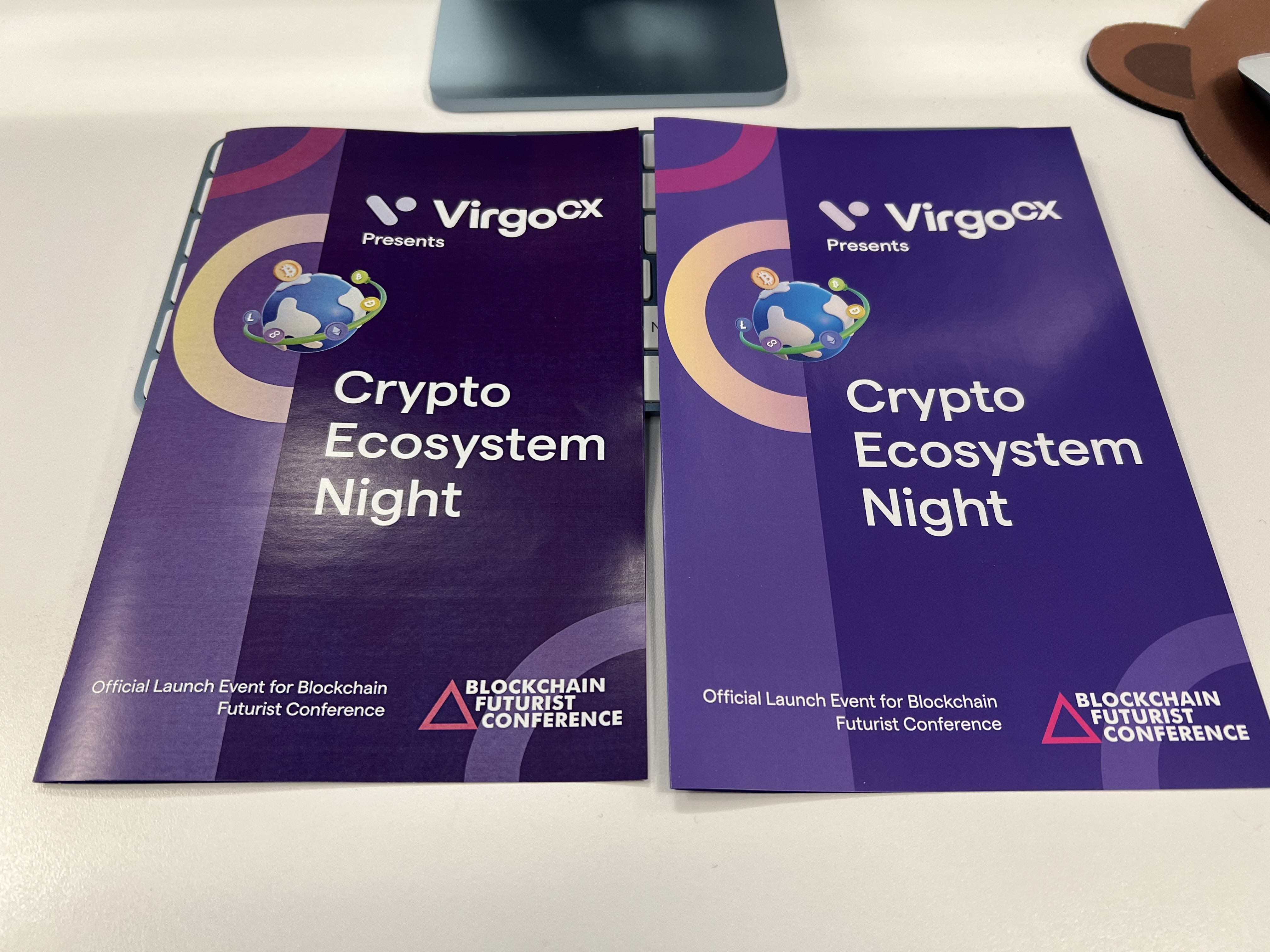
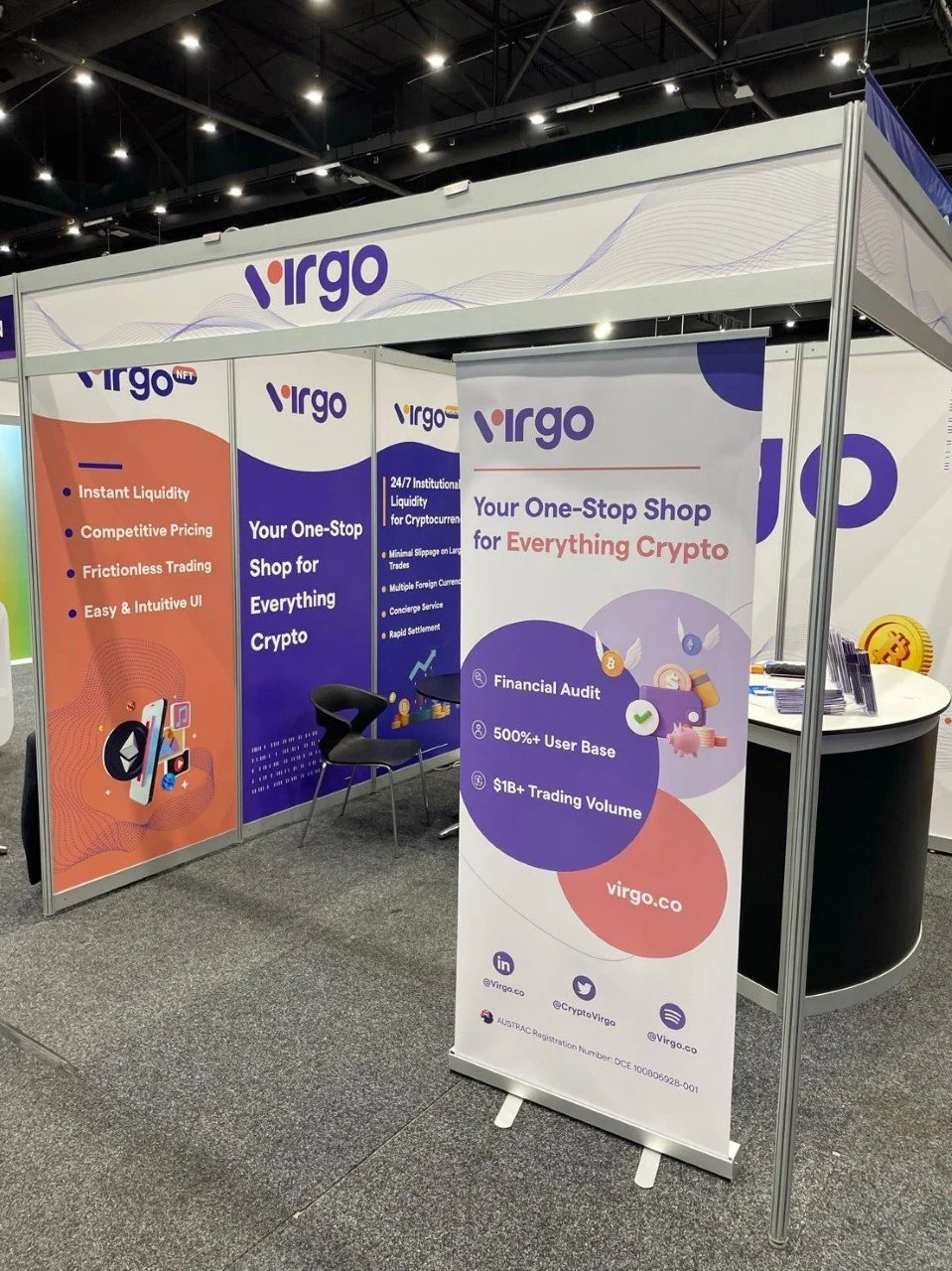
Since the design system was established, core brand elements such as logos, colors, typography, and icons have been standardized and centralized. This allows not only the product team, but also the wealth and marketing teams to easily access and reuse these assets.
By extending beyond product UI, the design system became a shared visual foundation for the entire organization. It helps different teams work faster, while ensuring brand consistency across digital products, marketing channels, and physical printed materials.


Challenges
Behind the scenes, we had to navigate several challenges.
- Timeline: This was a long-term, ongoing project that I worked on alongside my core responsibilities. Because of that, progress was incremental, and each phase took longer than initially expected. We focused on steady, sustainable progress rather than rushing incomplete solutions.
- Technical constraints: While we prioritized foundations and core components first — most of which could be built and gradually implemented — there were still areas that required compromise. For example, ideally we wanted to use gradient buttons and possible animations, but developers pointed out that solid colors were more feasible at the time without heavy CSS overrides. We decided to use solid colors for now while keeping the long-term vision in mind.
- Trade-off decisions: As the system continues to grow and we move deeper into details like component states, interaction behaviors, do/don't examples etc., technical limitations naturally surface more often. These situations require ongoing collaboration and mutual agreement to balance design quality, feasibility, and scalability.
Collaboration
I worked closely with the design lead to align on strategy, audit existing interface patterns, and define core principles. Throughout the process, I partnered with developers to understand technical constraints early and maintain a shared language around components and behaviors. Using shared tools like Figma, we reduced ambiguity, sped up handoffs, and kept design intent consistent with code implementation.
Next Steps
The next steps for the design system include:
- Comprehensive documentation: Creating detailed documentation for all components and guidelines will make the system easier for the entire team to use and ensure consistency as it grows.
- Expanding components: We plan to add more detailed components and may eventually separate the system into web and mobile versions to better support platform-specific needs.
- Enhanced accessibility: Key initiatives include supporting users with color vision deficiencies and implementing a "senior mode." Stakeholders and the Head of Product have recognized the importance of these features and support their future implementation.
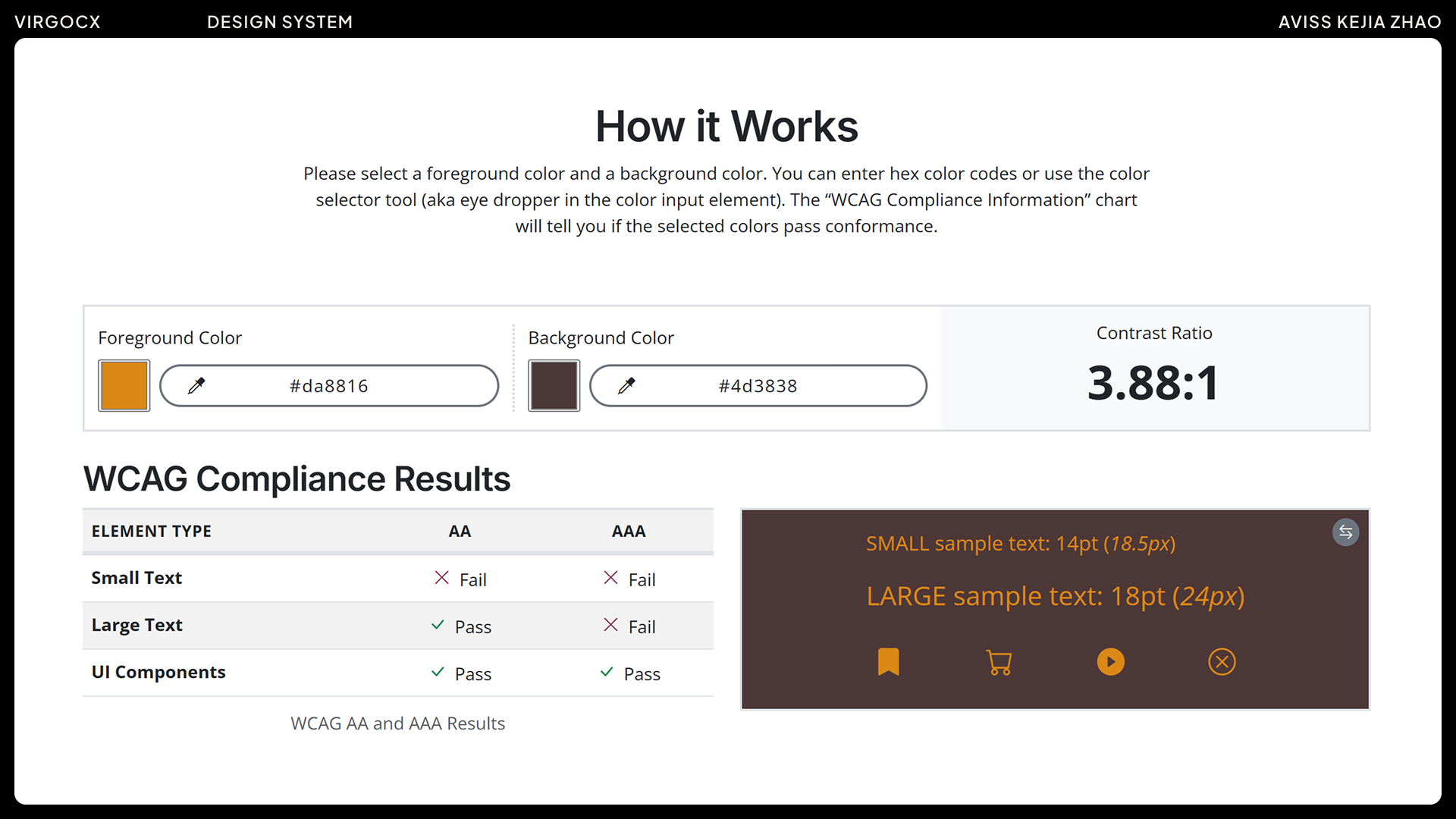
- WCAG alignment: We will ensure components and interactions follow WCAG guidelines, including maintaining sufficient color contrast, providing descriptive labels for screen readers, and supporting scalable text. These measures will make the platform more inclusive and user-friendly for a diverse range of users.
Web Content Accessibility Guidelines
WCAG 2.2 was officially published as a W3C Recommendation on October 5, 2023. It builds on earlier versions like WCAG 2.1 by introducing new success criteria that address gaps in accessibility, including better keyboard interaction, clearer focus visibility, and improved mobile usability. As digital products and user behaviors continue to evolve, these updated standards are especially important today. More governments and organizations are adopting WCAG as a legal requirement and best-practice benchmark, and aligning with WCAG 2.2 helps ensure products are inclusive, usable for a wider range of users, and compliant with accessibility regulations across different regions.
The next step is to become familiar with WCAG 2.2 guidelines and use them as a reference when building and updating the design system. For example, we can check color contrast ratios to ensure text is readable, provide descriptive labels for screen readers, maintain proper focus indicators for keyboard navigation, and support scalable text for users who need larger fonts.
Following these standards is not only about compliance — it's also a great opportunity to learn, grow, and stay up-to-date with modern accessibility practices, ensuring our designs remain inclusive and user-friendly.
Outcomes
By standardizing core components, the design system led to an estimated 20–30% faster design-to-development handoff and helped new team members onboard more quickly. Building this system gave me a deeper understanding of how design decisions impact scalability, consistency, and cross-team collaboration — and reinforced that a design system is never truly complete, but an evolving foundation that grows with the product.